
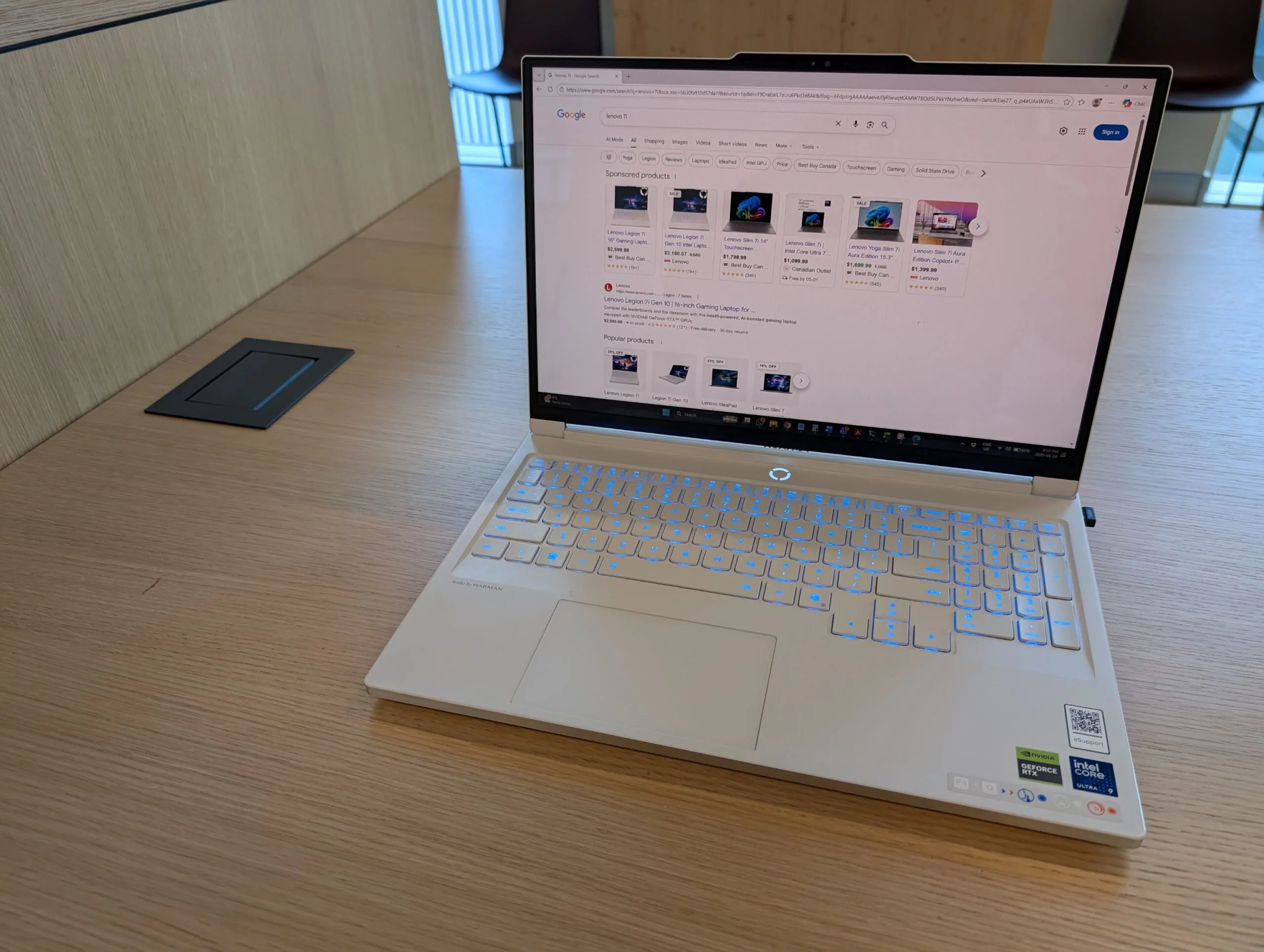
Lenovo Legion 7i Gen 10 Review
The Lenovo Legion 7i Gen 10 is a fast gaming laptop with useful RAM and SSD upgrade paths, but its limits matter if you also want it for local AI or memory-heavy work. I bought this configuration and found plenty to like, including two storage slots and strong everyday performance. The RAM ceiling, battery life, and docking quirks are the details to understand before you buy.
This page contains affiliate links. If you buy through these links, we may earn a small commission at no extra cost to you. Full disclosure.
Currency note: Canadian dollar equivalents use the Bank of Canada daily average of 1 USD = 1.4014 CAD on July 17, 2026. Converted amounts are approximate; the original US price is shown in brackets.
Last updated: August 30, 2026.
Verdict: Buy the Legion 7i Gen 10 when the RTX 5060 or RTX 5070 configuration is meaningfully discounted and you want a thin, upgradeable gaming laptop with an excellent OLED screen. Skip it for all-day battery life, quiet Performance-mode gaming, or single-cable dock charging. I own and tested the Core Ultra 9 and RTX 5070 configuration; the linked lab measurements below are for the exact 16IAX10 chassis, not the heavier Legion Pro 7i.. Check the Legion 7i Gen 10 on Amazon
Tom’s Hardware and LaptopMag currently rank reviews of the heavier Legion Pro 7i Gen 10, while RTINGS does not surface a review of this exact regular 7i. Those are different laptops. Notebookcheck and LaptopMedia have instrumented reviews of the 16IAX10 model covered here, so I use their measurements only where the tested configuration is identified.
Table of Contents
Lenovo Legion 7i Gen 10 Storage: PCIe Gen 5 Explained
The configuration I purchased shipped with two 1TB NVMe drives, both PCIe Gen 4. Although Lenovo does not mention this on their website, the Intel Ultra 9 275HX supports PCIe Gen 5 x4 on one of the M.2 slots. This can be verified on the processor specification located on the Intel website. Although this seems like an easy upgrade win for higher transfer speeds, the actual speed difference in day-to-day activities is negligible, with the only real advantage being in transferring large files at high speed (film editing, etc.) or possibly some Large Language Model (LLM) work where RAM is swapped to the SSD drive.
PCIe and RAM configurations
If you are checking whether the Gen 10 supports PCIe Gen 5, both HWiNFO and Intel’s processor data confirm support for this generation.

Above: If you look closely at the specifications for the Intel 275HX, we can see how the PCIe buses are divided between PCIe 4 and PCIe 5:

Above NVMe: PCIe Gen 5 x4

Above RTX 5070: PCIe Gen 5 x8: reduced bandwidth due to only having access to 8 PCIe lanes rather than 16 like full-size GPU models.
Lenovo Legion 7i Gen 10 RAM: The Real Limits
The laptop ships with 32GB of RAM in my configuration. Although this seems like a lot of RAM, it satisfied my needs for gaming and day-to-day work, but I quickly realized there were limitations with regards to local LLM models. The Intel Ultra 9 275HX supports up to 256GB of RAM, but with the cost of RAM these days, the upgrade seems risky, as I value my marriage more than my laptop. You can always check Facebook Marketplace or other auction sites for deals, but beware of scams. I cannot confirm that the 7i works at 6400 MT/s, as the device ships with OEM 5600 MT/s RAM.

Lenovo Legion 7i Gen 10 Battery Life
You don’t buy a gaming laptop for battery life; you buy one for its specific use: gaming, LLM work, design, pure power, etc.
My usual mixed use lands around 2 to 3 hours unless I stay in an energy-saving mode and keep the OLED dim. A controlled test provides a useful ceiling: Notebookcheck’s exact-model RTX 5060 unit lasted 4 hours 40 minutes in Wi-Fi browsing on Balanced mode with the integrated GPU. Configuration and settings matter, but neither result supports all-day use.
Docking Station Compatibility
My unit would not charge reliably from a Thunderbolt 4 dock while that same connection drove a display, so I still use Lenovo’s 245W adapter. Lenovo’s current Canadian product page labels both USB-C ports for 65W to 100W power delivery, but that is far below the supplied adapter and does not guarantee full performance under load. Charging behavior and Thunderbolt’s 40Gbps data link are separate issues, so I cannot support the earlier claim that the dock reduced peripheral speed or that this is a known BIOS defect. Update Vantage and the dock firmware, then plan on the Lenovo charger for gaming.

Screen
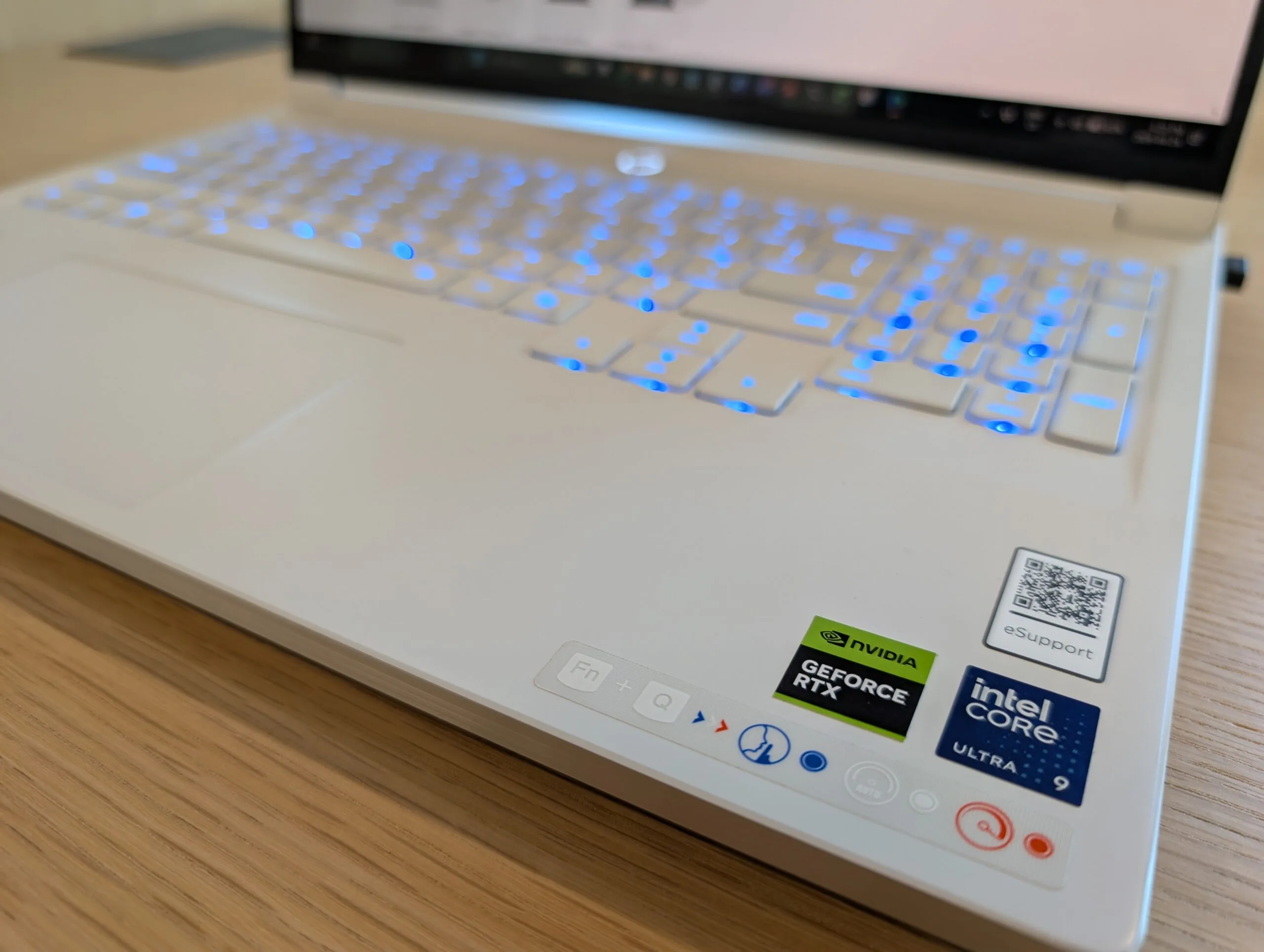
The screen is beautiful! Coming from an Ultrabook with a 13″ screen and also my beefy 8lb 17″ Dell work laptop, the 16″ screen is really the perfect transition from work to home use. It’s not the greatest for gaming, especially when playing first-person shooters like Battlefield 6, but it works fine for other titles (think: really small targets to shoot at). If the screen size is an issue, the 7i has a conveniently located full-size HDMI port on the back, which is where all HDMI ports should be located on laptops. Are you reading this, Asus, HP, and Dell? I have also tested the Legion 5 Gen 10, and all ports (even the power port) are located on the left and right sides, which seems silly and they get in the way.
CPU
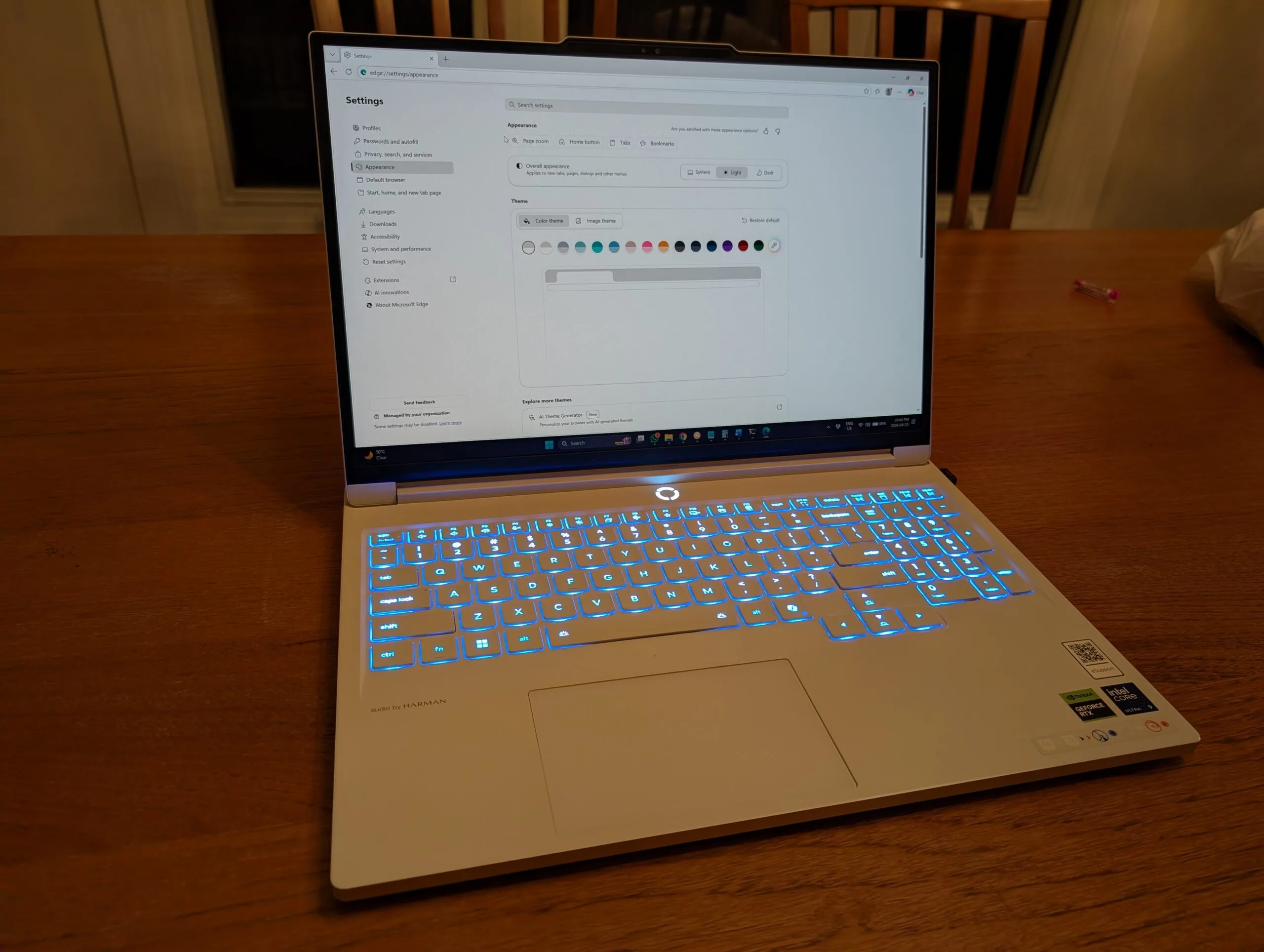
There are a ton of cores: 24 in total, split into 8 performance cores and 16 efficiency cores, with 24 threads. That is more CPU than browsing, Facebook, or Pinterest needs, but it gives this laptop real headroom for demanding work. The chip also has an NPU for AI features. The only practical use I have found so far is Microsoft Teams eye contact correction, and you look weird to other people in the meeting. I’M ALWAYS LOOKING AT YOU!
Pricing & Value
I bought model 83KY0002US, the Legion 7i Gen 10 with a Core Ultra 9 275HX, RTX 5070, 32GB of RAM, and two 1TB SSDs, from Lenovo Canada on Black Friday, November 25, 2025. The pre-tax laptop price was CA$2,217.49 with free shipping. I applied CA$87.42 in Lenovo rewards, bringing my effective pre-tax cost to about CA$2,130.
Lenovo also advertised Black Friday coupon codes worth up to CA$100 on purchases over CA$2,000. I have not subtracted that potential coupon from the price above. The useful buying lesson is that Lenovo direct can have three separate savings layers during a major sale: the displayed sale price, eligible rewards, and an eligible coupon. Read the exclusions and calculate the final checkout price because the headline discount does not show every layer.
On August 30, 2026, Lenovo Canada’s exact 83KY0002US page listed CA$4,119.99 and marked the model temporarily unavailable. That is CA$1,902.50, or 85.8%, above my CA$2,217.49 Black Friday price. Availability and discounts change, so treat this as a dated same-model snapshot rather than a permanent street price. Lenovo Canada’s current Legion 7i lineup is the better place to check whatever configuration is actually orderable.
The wider component market helps explain why waiting for a real laptop sale matters, but it cannot prove why Lenovo changed this one price. The site’s Canadian RAM price study found DDR5 configurations rose 4.3% to 30.2% over its common July 24 to August 29 window, while DDR4 fell. The RAM buy-or-wait guide translates that data into current buying advice. Storage is another moving input, and the SSD price outlook separates rising NAND contract forecasts from the mixed retail prices shoppers actually see.
If you are considering a Legion 7i Gen 10, I would wait for Lenovo’s Black Friday 2026 sale period unless you find a comparable discount earlier. Save the configuration and model number, compare the pre-tax checkout total rather than the estimated value, and check whether rewards and coupon codes apply. My purchase is evidence that the discount window can be substantial, not a promise that Lenovo will repeat the same price.
See how the Legion 7i Gen 11 compares with Gen 10 and whether the 12GB RTX 5070 makes the upgrade worthwhile.
Size and Weight
The main reason I selected this laptop over other Lenovo laptops was its size and weight. It weighs in at 1.99kg or 4.39lbs making it very lightweight considering it’s made from very high quality material and a metal chassis. My previous laptop I was hauling back and forth to work weighed a respectable 8lbs, so this was a welcome upgrade for my back and shoulders. The laptop is very thin as well, making it look sleek and high tech when displayed.
OLED Display: Measured Results
The OLED screen is crisp, clear, and beautiful, but the mandatory glossy finish reflects a bright room. Notebookcheck measured its exact-model 165Hz panel at an average 483 nits in SDR, 99.6% Display P3 coverage, and 0.6ms grey-to-grey response. Its RTX 5060 unit also reached 54.6 dB(A) while gaming in Performance mode, versus 45.9 dB(A) in Balanced mode with about a 10% performance cost. That fills the biggest gap in my owner impressions: the display really is excellent, while the thin chassis gets loud when pushed.
Conclusion
I have never had so many people ask me “what laptop is that” and I tell them it’s a Lenovo – it really looks like it might be an item displayed on the work desk in the future. The design and aesthetics are quite stunning. The Lenovo Legion 7i Gen 10 is an excellent gaming laptop with powerful specs and solid performance, though it comes with some limitations. If you’re planning to set up a complete gaming workstation, you may also want to consider accessories like the best laptop stands that actually work to improve ergonomics, or a quality gaming monitor to complement your setup. For a detailed comparison of display options, check out our guide on gaming monitors versus office monitors to find the perfect screen for your needs. And if local AI is the real reason you want this much hardware, check the best RTX Spark laptops for 2026 before you commit.
Lenovo Legion 7i Gen 10 FAQ
Is the Lenovo Legion 7i Gen 10 worth it?
Yes at a deep sale price, especially if you value the OLED screen, sub-2kg chassis, two SODIMM slots, and two M.2 slots. I paid CA$2,217.49 before tax for the RTX 5070 model on Black Friday 2025. Lenovo listed that exact model at CA$4,119.99 on August 30, 2026, so I would wait for a major sale rather than pay the current listed price.
How long does the Legion 7i Gen 10 battery last?
I see roughly 2 to 3 hours in mixed use. Notebookcheck measured 4 hours 40 minutes of controlled Wi-Fi browsing on an RTX 5060 configuration in Balanced and iGPU modes. Expect less while gaming.
Can you upgrade the RAM and SSD?
Yes. Lenovo lists two SODIMM slots and the chassis has two M.2 storage positions. My configuration shipped with 32GB of DDR5-5600 and two 1TB PCIe 4.0 drives.
Is the Legion 7i the same as the Legion Pro 7i Gen 10?
No. The regular Legion 7i 16IAX10 reviewed here starts at 1.99kg and tops out at an RTX 5070. The heavier Pro 7i supports higher-tier GPUs and has different cooling, battery, ports, and performance. Do not transfer Pro 7i benchmark numbers to this laptop.
Editorial rating: 4.0 out of 5. The Legion 7i Gen 10 combines an excellent OLED display, strong gaming performance, two SODIMM slots, and two SSD slots in a slim chassis. Loud Performance mode, short battery life, reflections, and awkward dock charging are notable compromises, so it makes the most sense at a deep sale price.
Current offer checked August 30, 2026: CA$4119.99, out of stock. Prices and availability can change.
Leave a Comment