341QPXW14G is US$749.99 in the United States, and that price explains why MSI’s new 34-inch QD-OLED deserves attention. It costs US$235 less than Dell’s current 34-inch UltraSharp while adding OLED contrast and a 144 Hz refresh rate. It also asks office buyers to accept the one thing Dell avoids: an OLED panel spending all day under static menus, spreadsheets and taskbars.
Last updated September 22, 2026: MSI’s official US store now lists the 341QPXW14G in stock at US$749.99. Canadian pricing and independent exact-model testing remain unavailable.
My verdict is narrower than MSI’s marketing. This could be an unusually good MacBook monitor for someone who edits media, plays games and wants one cable at the desk. It is not yet the safe choice for eight hours of fixed office software. No independent review has measured this exact model, the official US store now lists it in stock, and Canadian pricing has not been announced.
The dry joke is that MSI gave a productivity monitor a model number that looks like a password reset token. The hardware is easier to understand: flat 34-inch ultrawide, sharp-text QD-OLED, 98 W laptop charging, a three-device KVM and Mac controls that do not require reaching behind the screen.
Table of Contents
- The Verdict Before the Specs
- A Better OLED for Text, Still an OLED
- Mac Controls Are the Actual Differentiator
- Where the Docking Story Breaks
- 341QPXW14G vs Dell U3425WE
- Price Turns the Decision
- Who Should Skip This
- 341QPXW14G FAQ
- The Short Version
The Verdict Before the Specs
MSI’s September 10 announcement confirms a flat 3440 x 1440 panel, 144 Hz refresh rate, 0.03 ms claimed response time, RGB-stripe subpixels, dual USB-C connections and a three-device KVM. The 98 W primary USB-C port can run video, data and laptop charging. A second USB-C port provides up to 15 W.
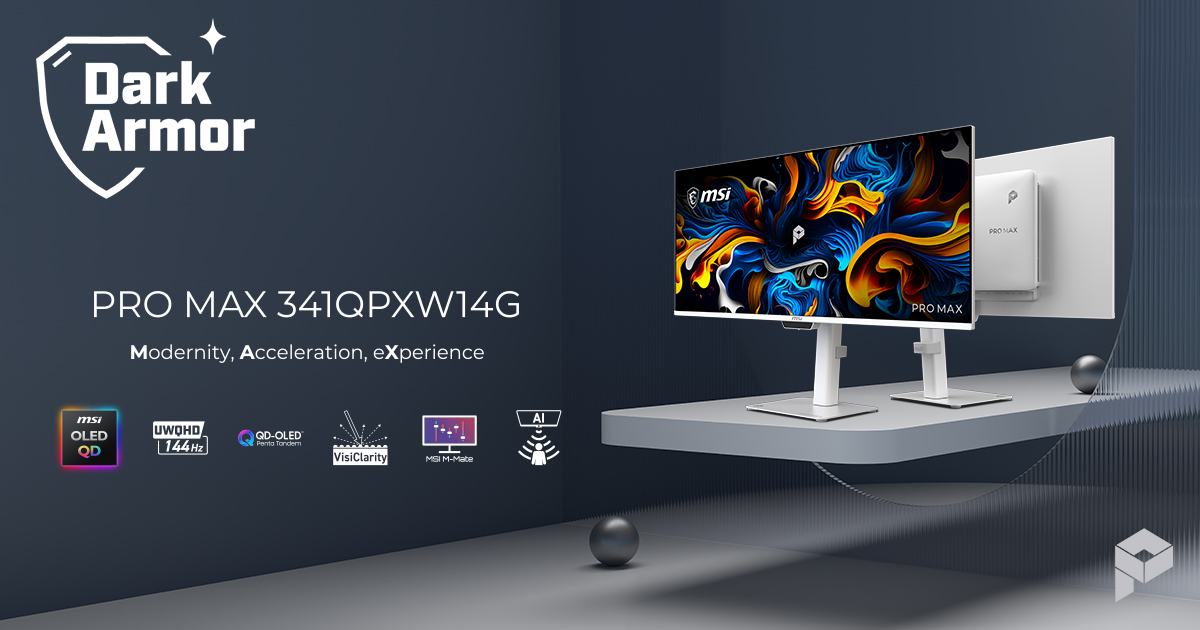
The manufacturer also claims 99% DCI-P3 and 97.4% Adobe RGB coverage, Delta E at or below 2, DisplayHDR True Black 500 certification and a 1,300-nit HDR peak. Those figures have not been independently measured. MSI’s US store separately lists ordinary brightness at 300 cd/m², which is a useful reminder that a small HDR highlight and a bright spreadsheet are not the same workload.
The official US specification includes two HDMI 2.1 inputs, DisplayPort 1.4a, two USB-C inputs with DisplayPort Alt Mode, four 5 Gbps USB-A ports, USB-B and a headphone output. The stand supports height, tilt and swivel, and the panel accepts a 100 x 100 mm VESA mount.
A Better OLED for Text, Still an OLED
Older QD-OLED monitors often arrange subpixels in a way that can add coloured edges to small text. MSI says this fifth-generation panel uses a vertical RGB stripe intended to reduce that problem. That is the right change for a monitor pitched at documents and code, but a manufacturer diagram cannot tell us how ClearType, macOS font rendering and common scaling settings look from a normal desk distance.
QD-OLED still has the familiar office compromise. Static menu bars, browser chrome and spreadsheet grids can age pixels unevenly. MSI includes taskbar detection, logo detection, pixel shifting, static-screen dimming and a presence sensor. The company also lists a three-year warranty that includes OLED burn-in in the United States. Canadian terms remain unconfirmed, so do not quietly import the US promise across the border.
For mixed creative work and games, OLED’s contrast and fast pixel response are meaningful. For accounting, writing or dashboards left open all day, IPS remains the calmer purchase. Our gaming monitor versus office monitor guide explains why panel behaviour matters more than the label on the box.
Mac Controls Are the Actual Differentiator
MSI’s M-Mate app is the most practical part of the pitch. The company says it lets a MacBook’s brightness and volume keys control the monitor, while M-Color mode aligns display settings with a compatible MacBook. External monitors frequently make simple adjustments feel like a search for a secret button, so native keyboard control is not a trivial extra.
Colour matching needs more caution. Matching two screens by eye or profile does not make either one a reference display, and the MacBook panel beside it may have different brightness, gamut and viewing characteristics. Pantone validation and factory calibration are useful starting points. A colour-critical recommendation still needs independent measurements of accuracy, uniformity and mode behaviour.
The 21:9 canvas gives you 4.95 million pixels. That is useful for two large windows, but it is not the same workspace as 4K. If vertical space matters more than a wide timeline, read our ultrawide versus dual-monitor comparison before paying for OLED contrast.
Where the Docking Story Breaks
The 98 W USB-C link is enough for many MacBooks and business laptops, and the KVM can share a keyboard and mouse across three systems. Picture-by-picture support also makes a Mac plus PC arrangement plausible. MSI has built a useful hub into the monitor.
It has not built a complete office dock. The published port list does not include Thunderbolt or Ethernet. USB data tops out at 5 Gbps, while Dell’s reference model supplies Thunderbolt 4 and 2.5GbE. Anyone moving large files to fast external storage or a wired network may still need a separate dock hanging from the same clean desk.
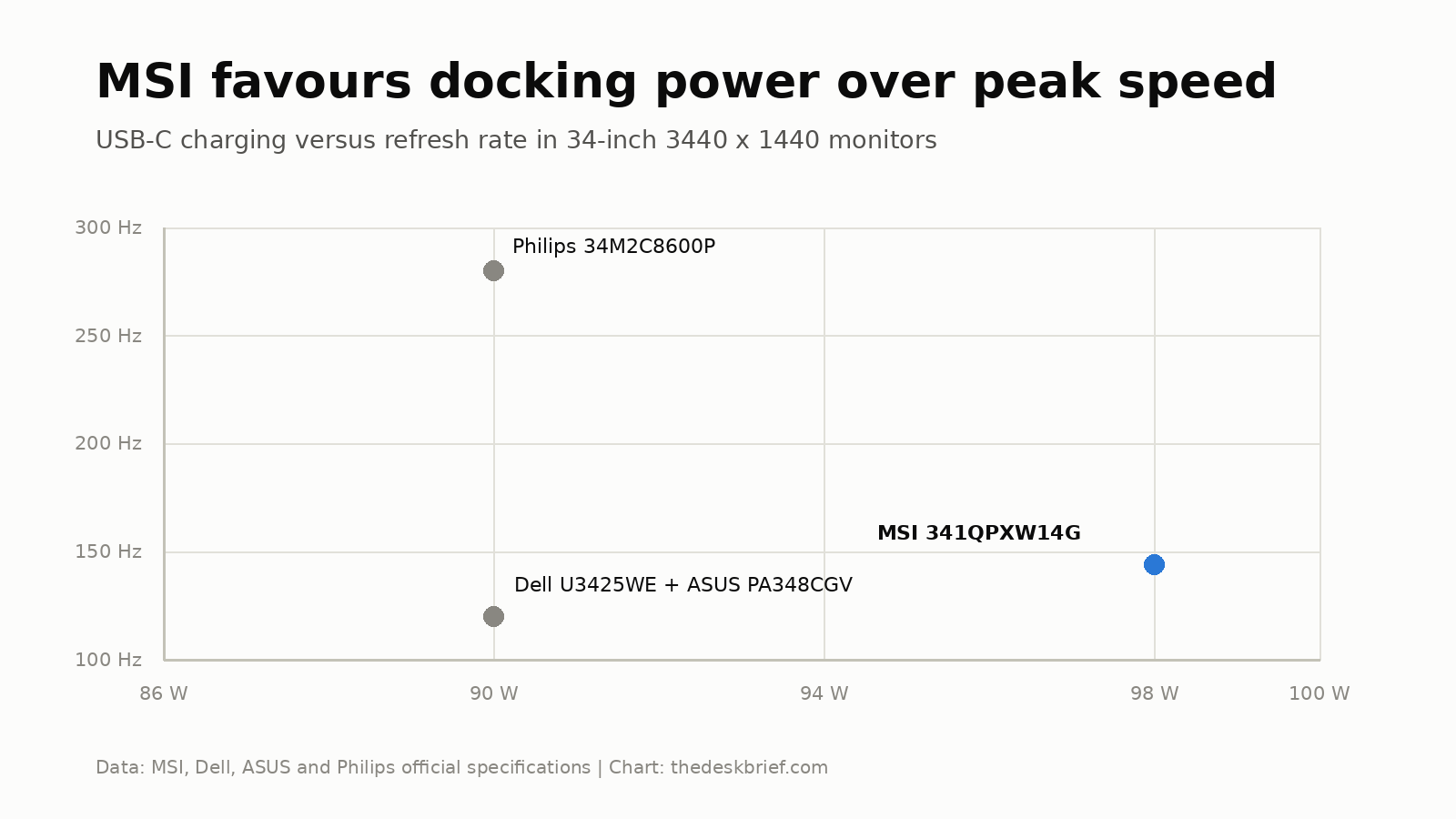
The chart shows the intended balance. Philips pushes a comparable 34-inch panel to 280 Hz with 90 W charging. Dell and ASUS stop at 120 Hz and 90 W. MSI moves charging to 98 W and refresh to 144 Hz, which is a sensible middle ground for work first and games later.
341QPXW14G vs Dell U3425WE
The Dell U3425WE is the safer office reference. Dell listed it at US$984.99 on September 18, 2026. It uses a curved IPS Black panel, reaches 120 Hz and has the stronger dock. MSI offers the more dramatic image and lower US list price.
| Specification | MSI 341QPXW14G | Dell U3425WE |
|---|---|---|
| US price observed | US$749.99, in stock | US$984.99 |
| Panel | 34-inch flat QD-OLED | 34.1-inch curved IPS Black |
| Resolution and refresh | 3440 x 1440 at 144 Hz | 3440 x 1440 at 120 Hz |
| Laptop link | USB-C with 98 W charging and 5 Gbps USB | Thunderbolt 4 with 90 W charging |
| Network | None announced | 2.5GbE |
| KVM | Three-device KVM | Two-computer KVM |
| Named drawback | Burn-in risk, no Ethernet, no independent review | Higher price, lower contrast and no OLED response |
I would buy the Dell for a fixed corporate workstation, wired office network or static dashboard. I would wait for the MSI if the same desk handles a MacBook, creative work and games. A US$235 saving is real, but only when the cheaper monitor is actually in stock and its warranty applies where you live.
The 39-inch LG alternative takes a different route. Our LG 39GX950B analysis covers a larger 5K2K OLED with more desktop resolution and a much higher price. It is the better reference if 3440 x 1440 feels cramped rather than convenient.
Price Turns the Decision
MSI’s official US store now lists the monitor in stock at US$749.99. MSI has not announced a Canadian price or a Canadian on-sale date.
At US$749.99, the value case is strong. You get a current-generation QD-OLED panel, useful charging, a KVM and a burn-in warranty for less than Dell’s IPS office flagship. At an inflated import price, the logic collapses. Wait for local stock, local warranty language and at least one instrumented exact-model review before treating the US number as your checkout total.
Who Should Skip This
Skip it if your screen shows the same accounting package, IDE layout or monitoring dashboard for most of the day. Skip it if a wired network and Thunderbolt storage belong in your one-cable setup. Canadian buyers should also wait, because a US warranty statement and US$749.99 listing do not establish Canadian support or price.
Gamers who only want maximum motion clarity should look elsewhere. A 144 Hz OLED is smooth, but 280 Hz ultrawides now exist. Creators who need certified accuracy should wait for measured results rather than promote MSI’s calibration claim into a lab report.
341QPXW14G FAQ
Is it curved?
No. MSI uses a flat 34-inch 21:9 panel. That can make straight lines easier to judge for design work, though some people prefer a curve at ultrawide viewing distances.
Can it charge a MacBook?
Its primary USB-C port provides up to 98 W Power Delivery along with video and data. Check the power requirement of your exact MacBook and workload before replacing its supplied charger.
Does it have Thunderbolt or Ethernet?
Neither appears in MSI’s published port list. The monitor uses USB-C with DisplayPort Alt Mode and 5 Gbps USB, not an announced Thunderbolt link.
How much does it cost in Canada?
Canadian pricing and availability have not been announced. The official US store listed the monitor in stock at US$749.99 on September 22, 2026.
The Short Version
The 341QPXW14G combines the right ingredients for a mixed Mac and PC desk: a flat RGB-stripe QD-OLED panel, 144 Hz refresh, 98 W USB-C charging, Mac keyboard controls and a three-device KVM. The US$749.99 list price undercuts Dell’s stronger office dock by US$235.
Wait for Canadian pricing and independent measurements. Buy the Dell U3425WE if static office work, Ethernet and Thunderbolt matter more than OLED contrast. Keep the MSI on the shortlist if your workday ends with games and you are willing to manage OLED’s long-term risk.