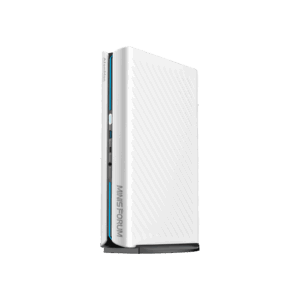
F87S costs CA$124 through AULA’s Canadian-localized checkout, and my advice is to wait before buying it. The 8,000 Hz wired and wireless polling, 10,000mAh battery, hot-swap sockets, and gasket construction make the price look unusually good. The problem is evidence. AULA has published no meaningful runtime test details, no latency measurements, and a 10,000-hour battery claim that deserves a raised eyebrow and a very long extension cord.
This page contains affiliate links. If you buy through these links, we may earn a small commission at no extra cost to you. Full disclosure.
This is a specification analysis, not a review. I have not used the keyboard. I checked AULA’s current product page, TechPowerUp’s August 21 launch report, IT Home’s independent launch coverage, and current Keychron Canada specifications and prices on August 23, 2026. The Canadian page-one results contain no independent editorial hands-on review of the exact keyboard.
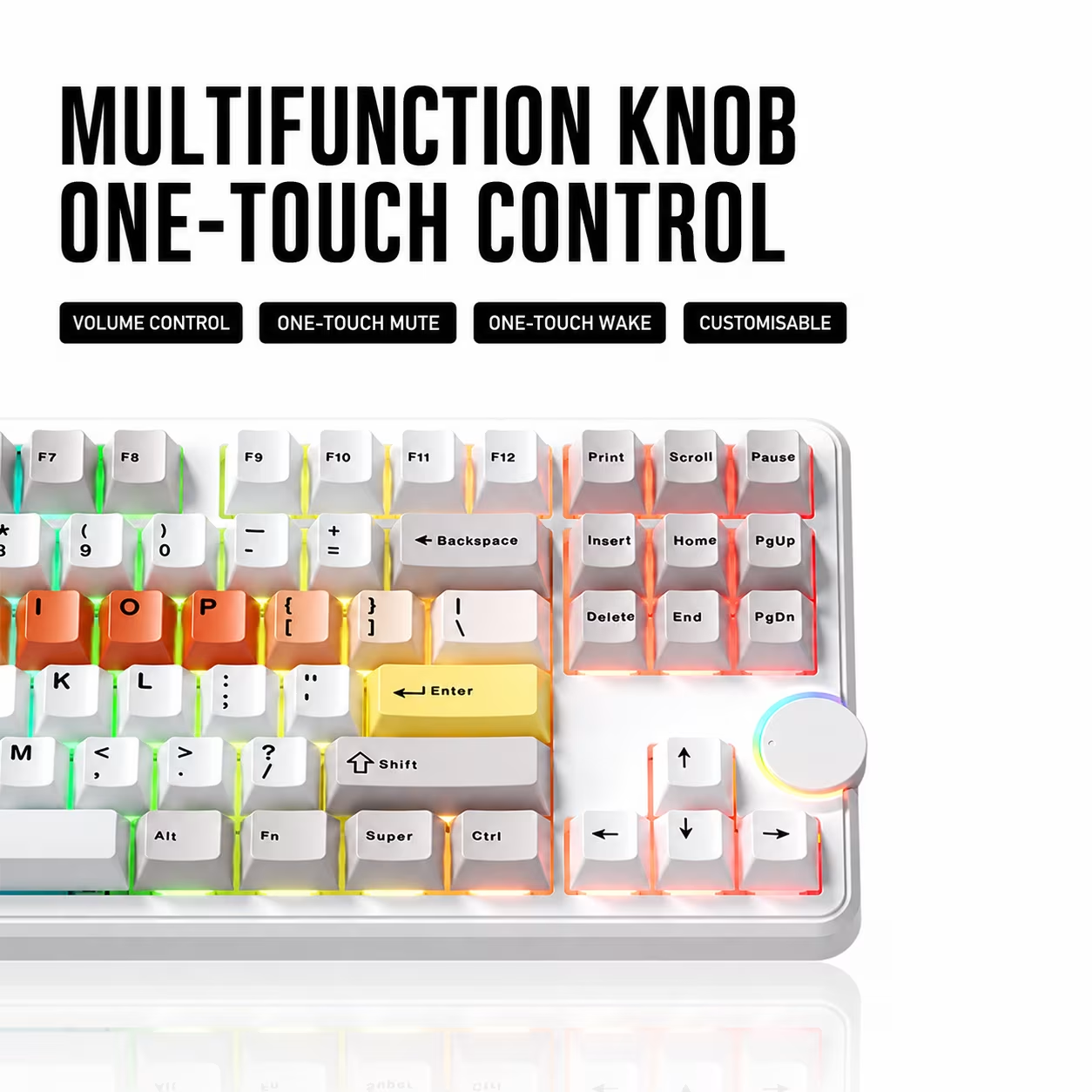
Table of Contents
- F87S Specs Against the Keychron V3 Max
- The CA$124 Price Needs an Asterisk
- What 8,000 Hz Actually Changes
- A Big Battery and a Wild Runtime Claim
- The Better Reasons to Want It
- What I Would Buy
- Who Should Skip This
- Frequently Asked Questions
- The Short Version
F87S Specs Against the Keychron V3 Max
The useful reference is Keychron’s V3 Max. It is another gasket-mounted wireless TKL with hot-swap sockets, a knob, and a plastic case. Keychron Canada lists the fully assembled V3 Max at CA$169.99, although the variants were backordered when checked. That is CA$45.99 more than AULA’s localized price, but Keychron supplies QMK and VIA support plus a much clearer technical sheet.
| Specification | AULA F87S | Keychron V3 Max |
|---|---|---|
| Price checked | CA$124 at AULA’s localized checkout | CA$169.99 at Keychron Canada, backordered |
| Layout | TKL with multifunction knob | TKL with knob |
| Polling rate | 8,000 Hz wired and 2.4 GHz, claimed | 1,000 Hz wired and 2.4 GHz; 90 Hz Bluetooth |
| Wireless modes | 2.4 GHz and Bluetooth | 2.4 GHz and Bluetooth 5.1 |
| Battery capacity | 10,000mAh | 4,000mAh |
| Switches | Four linear switch choices, hot-swappable | Gateron Jupiter choices, hot-swappable |
| Construction | Gasket mount, PC plate, five dampening layers | Gasket mount, PC plate, acoustic foam and silicone pad |
| Remapping | AULA says custom key and lighting settings | QMK and VIA |
| Main drawback | No independent latency or runtime results | Higher price, smaller battery, currently backordered |
The F87S is not a Hall effect keyboard. AULA lists four conventional linear mechanical switches with actuation points from 1.6 mm to 1.8 mm, depending on the version. The board supports SOCD, Hold/Tap, Toggle, and combination-key functions, but the switches do not provide the adjustable actuation distance expected from magnetic boards. Do not let the gaming-function list quietly rewrite the switch hardware.
The CA$124 Price Needs an Asterisk
AULA’s page detected a Canadian visit, set its checkout currency to CAD, and displayed CA$124. TechPowerUp reported a US$89.90 company-store price at launch, which is broadly consistent with the localized figure rather than a second Canadian deal. The store page does not explain tax, duty, return shipping, or regional warranty handling beside the price. Those costs decide whether a cheap imported keyboard stays cheap.
The same page advertises a seven-day return policy. That is a short inspection window for a keyboard shipping from a company address in Shenzhen, and it is not equivalent to buying from a Canadian retailer with a nearby counter. AULA also shows four colour and switch combinations, but it does not provide a Canadian delivery estimate on the product page. I would not order until the final checkout shows the full landed cost and a delivery date you can live with.
What 8,000 Hz Actually Changes
An 8,000 Hz polling rate lets a keyboard report to the computer every 0.125 milliseconds. A 1,000 Hz board reports every 1 millisecond. The theoretical interval difference is 0.875 milliseconds, before switch debounce, wireless processing, the game engine, frame scheduling, display refresh, and the rest of the input chain have their say.
AULA says the maximum rate works over both USB-C and its 2.4 GHz receiver. That is unusual at this price, but it remains a manufacturer claim. There is no exact-model latency chart, wireless stability test, or CPU-overhead measurement from an independent lab. For ordinary writing, shortcuts, and office work, 8,000 Hz solves a problem that most desks do not have.
Competitive players may value the lower report interval, especially on a high-refresh display. Everyone else should rank switch feel, layout, firmware, wireless reliability, and keycap quality first. My keyboard-position guide will improve a long workday more reliably than multiplying a polling-rate number by eight.
A Big Battery and a Wild Runtime Claim
The dual 5,000mAh cells give the F87S a combined rated capacity of 10,000mAh. Keychron specifies 4,000mAh for the V3 Max. Capacity is the clean comparison because both manufacturers publish it. It does not predict runtime without power-draw measurements at the same polling rate, lighting level, and connection mode.
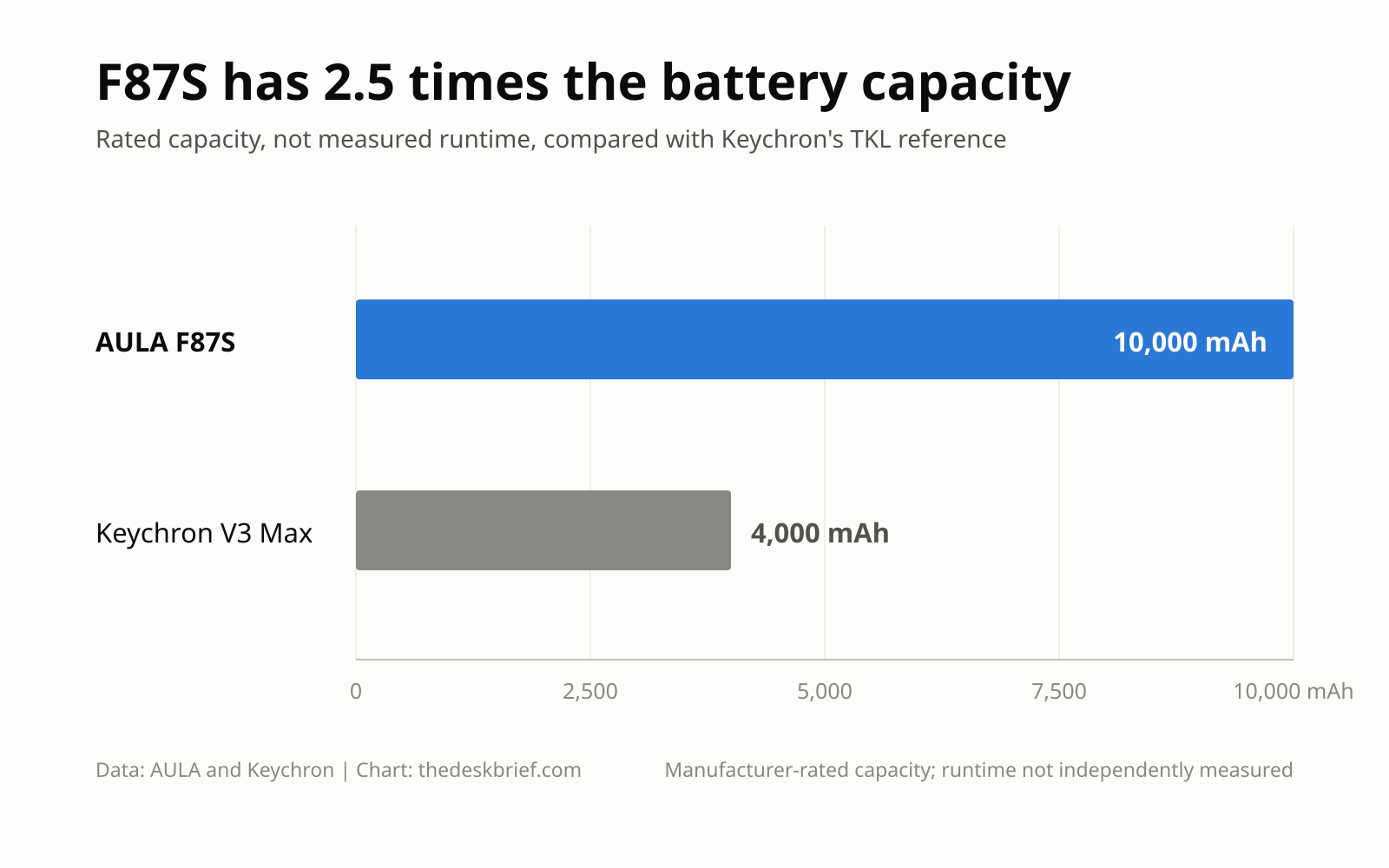
AULA claims up to 10,000 hours with lighting off. That would equal roughly 417 continuous days. Its page does not state the polling rate, sleep behaviour, daily-use pattern, or test duration behind the number. Until an independent reviewer repeats it, treat 10,000 hours as an unsupported best-case claim, not a calendar reminder for charging day.
The larger cells also have costs that the product page does not quantify. AULA does not publish the finished keyboard’s weight or charging time. More capacity normally means more battery mass and a longer refill unless charging power rises with it. Those values are not announced, so there is nothing honest to estimate.
The Better Reasons to Want It
The TKL layout is the practical feature. It keeps a function row, navigation cluster, and arrow keys while dropping the number pad. That leaves more mouse room than a full-size board without forcing spreadsheet users to bury every secondary command under a layer. If you need the number pad daily, the compromise points the wrong way.
A gasket mount, flex-cut polycarbonate plate, and five internal dampening layers should reduce case resonance. They do not guarantee a particular sound or feel because switch choice, stabilizer tuning, keycaps, assembly tolerances, and desk surface still matter. The four versions use different linear switches and two keycap-material combinations, so one colour can feel different from another.
Hot-swap sockets are a real ownership benefit. A failed switch can be replaced without soldering, and the board is easier to tune later. Tri-mode connectivity also fits a shared desk: USB-C for a fixed PC, 2.4 GHz for low-latency wireless use, and Bluetooth for another device. That is more useful on Monday morning than SOCD support.
What I Would Buy
I would wait for a measured F87S review and a Canadian retail listing. If the company-store total stays at CA$124 with reasonable shipping and returns, the hardware list is strong enough to revisit. At CA$170 or more landed, I would choose Keychron for QMK and VIA, clearer documentation, and a known Canadian storefront.
If a 75% layout is acceptable, the Keychron V1 Max is the easier current alternative to search for. It keeps wireless connectivity, hot-swap sockets, a gasket mount, and QMK/VIA while taking less desk space. Paid link disclosure: I may earn a commission if you buy through the retailer link. Check the Keychron V1 Max on Amazon, but compare the live total with Keychron Canada’s CA$152.99 listed price before paying. Marketplace pricing has a sense of humour, and you are usually the punchline.
For more compact options already covered on the site, compare the Epomaker RT75 screen keyboard and the Yunzii IF68 with QMK. Neither is a direct TKL substitute, but both show what stronger firmware disclosure and a narrower layout trade away.
For another Keychron option with a fuller layout, see our Keychron C100 8K guide.
Who Should Skip This
Skip it if you want independently verified low latency, because there is none yet. Skip it if QMK or VIA is mandatory, because AULA does not list either standard. Skip it if you need a number pad, a published weight, a clear Canadian warranty path, or a generous local return window. Those are not tiny footnotes once the keyboard becomes a work tool.
The F87S makes the most sense for someone who wants a wireless TKL, likes linear switches, and is comfortable buying from the manufacturer while early evidence is thin. The 8,000 Hz mode is a bonus for competitive gaming, not the reason office users should import it. A large battery, hot-swap support, and sensible layout carry the product. The unverified claims are baggage.
Frequently Asked Questions
Is the F87S a Hall effect keyboard?
No. AULA lists conventional linear mechanical switches with fixed actuation points. The sockets are hot-swappable, but the board does not advertise magnetic switches or adjustable actuation distance.
Does 8,000 Hz work wirelessly?
AULA says 8,000 Hz works in wired USB-C and 2.4 GHz wireless modes. Bluetooth is also available, but the company does not claim 8,000 Hz over Bluetooth. Independent latency results have not been published.
How long does the battery last?
No independently measured result exists. AULA claims up to 10,000 hours with lighting off but does not publish enough test conditions to make that figure useful. The confirmed specification is 10,000mAh of total rated capacity.
Is it available in Canada?
AULA’s store detects Canadian visitors and displayed CA$124 when checked, but no Canadian retailer listing, delivery estimate, or detailed regional warranty process was confirmed. Check the final landed cost before ordering.
The Short Version
AULA has assembled an aggressive specification sheet: TKL layout, 8,000 Hz wired and wireless polling, a 10,000mAh battery, hot-swap sockets, gasket mounting, and three connection modes for CA$124. The hardware choices make sense for mixed work and gaming. The evidence does not yet match them.
Wait for independent latency and battery testing, plus a clearer Canadian return path. If the landed price remains near CA$124, this could be excellent value. If shipping and duty push it near CA$170, buy the better-documented Keychron or keep the keyboard already on your desk. Eight thousand reports per second cannot report buyer’s remorse fast enough.
Editorial rating: 3.5 out of 5. The F87S has a compelling feature set for mixed work and gaming, including a sensible TKL layout, hot-swap sockets, tri-mode connectivity, and a large battery. Independent latency and battery evidence plus a clearer Canadian return path are still needed before it becomes an easy recommendation.