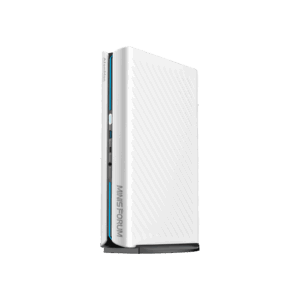
ProArt GR1X earns a place on my shortlist because ASUS promises native CUDA in a small Windows desktop with up to 128GB of unified memory. I would wait for pricing and independent workflow tests before buying one. The interesting question is whether it removes a software bottleneck you actually have, rather than giving you a more expensive place to open a browser.
As of October 12, 2026, it is announced but not yet on sale anywhere. ASUS’s US product page still labels it “Coming soon”. In its October 8 announcement, ASUS says the GR1X will be available later in 2026; an exact ship date and retail price have not been announced. This is an analysis of the published specifications and buying trade-offs. I haven’t tested this machine.
Table of Contents
- What ProArt GR1X actually adds
- 128GB is capacity, not a speed guarantee
- The Beelink comparison: choose the software first
- Check the desk connections before the benchmark charts
- What I would need before ordering
- Who Should Skip This
- FAQ
- The Short Version
What ProArt GR1X actually adds
ASUS lists an NVIDIA RTX Spark N1X processor combining a 20-core Grace CPU with a Blackwell RTX GPU containing 6,144 cores. Memory options are 64GB and 128GB of LPDDR5X unified memory. Those are manufacturer specifications, not results from a production unit on my desk.
The reason to care is CUDA, NVIDIA’s GPU computing software platform. ASUS says it runs natively on this system. For someone whose local AI tools or rendering work depend on CUDA, that is a more useful distinction than another large AI-performance number. A competing machine can have the same amount of memory and still require a different software path.
That does not establish compatibility with every existing CUDA project. The CPU architecture, operating system, application build and required libraries still have to line up. Before spending anything, I would write down the exact application, model and extensions I need, then look for those combinations in launch documentation and independent tests. “Supports AI” is a rather short procurement checklist.

ASUS advertises up to one petaflop of FP4 AI performance. That is a precision-specific compute claim, not a tokens-per-second result or a render-time comparison. It cannot tell you how quickly your chosen model answers, how long a complex scene takes, or whether the fans become the loudest thing in the room.
128GB is capacity, not a speed guarantee
Unified memory gives the CPU and GPU access to a shared memory pool. It is attractive for workloads that outgrow the separate graphics memory in a conventional desktop, but the full advertised capacity is not a promise that all of it will be available for model weights. The operating system, application, context and working buffers need room too.
I would choose between the 64GB and 128GB versions by the workload that fails to fit today. If your existing machine runs the model you need and speed is the complaint, doubling memory capacity alone is not a demonstrated fix. If a larger model or scene cannot load at all, capacity becomes a concrete reason to investigate the new machine.
Our local AI memory guide explains why model size and context matter together. For this particular desktop, wait for tests that disclose both. A small prompt and a long working conversation can place very different demands on the same advertised memory capacity.
The Beelink comparison: choose the software first
The Beelink GTR9 Pro is the useful reference here: a released compact desktop with AMD’s Ryzen AI Max+ 395 and 128GB of memory. It makes the question harder than comparing ASUS against an ordinary low-memory office mini PC. Both offer substantial memory capacity, but their graphics platforms are different.
Beelink’s current manufacturer listing shows US$4,349 for 128GB of soldered LPDDR5X memory and a 2TB SSD. It also gives an approximate 35-day shipping time for current orders. The model has already shipped to customers; that new-order delay does not make it an unreleased product or an immediate-delivery alternative.
| Decision point | ASUS GR1X | Beelink GTR9 Pro |
|---|---|---|
| Current manufacturer price | Not announced | US$4,349; 128GB / 2TB |
| CPU and graphics | NVIDIA Grace / Blackwell RTX | AMD Ryzen AI Max+ 395 / Radeon 8060S |
| Memory options | 64GB or 128GB unified LPDDR5X | 128GB LPDDR5X, soldered |
| GPU software distinction | Native CUDA support claimed by ASUS | AMD graphics; no NVIDIA GPU |
| Storage expansion | Dual M.2; PCIe 5.0 / 4.0 listed | Dual M.2 2280 PCIe 4.0 |
| Wired network | One 10GbE port | Two 10GbE ports |
| Main buying drawback | No price or independent workflow results here | High current price; estimated 35-day shipping |
| Release state, October 12 | Announced, not shipping | Released; delayed current orders |
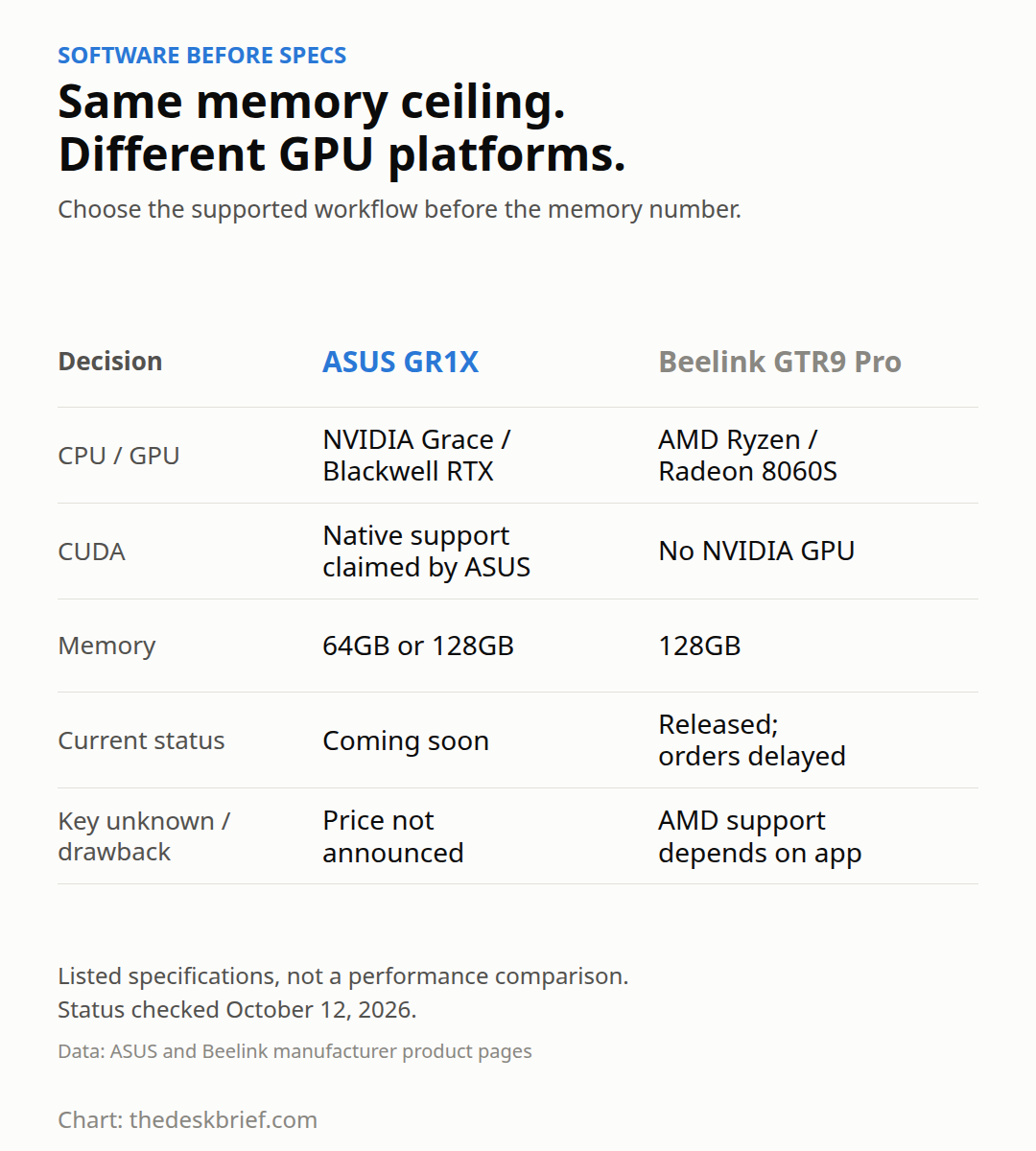
ProArt GR1X makes sense to keep watching if CUDA is a requirement. The Beelink deserves consideration if your actual workload already has a supported AMD path and you want to avoid changing CPU platforms. Its lack of an NVIDIA GPU is a real limitation for CUDA-dependent work, not something a matching RAM number cancels out.
I would not call either the value winner yet. There is no ASUS price to compare, and the Beelink’s current listing is expensive enough that a vague intention to experiment with local AI is a poor reason to order. Keep the computer you have until you can name the job the replacement will do better.
Check the desk connections before the benchmark charts
ASUS lists a 150 × 150 × 51mm enclosure, a 240W power supply and a 140W TDP claim. Do not use either wattage as a measured wall-power figure. A small enclosure also does not tell us whether sustained work will be quiet; ASUS’s cooling promises still need independent acoustic testing.
The published port list has three USB-C connections rated at USB 3.2 Gen 2×2, with DisplayPort alternate mode, plus a separate USB-C connection with power input. There is HDMI 2.1 and one 10GbE network port. ASUS lists support for up to four displays. These specifications do not make the USB ports USB4 or Thunderbolt.
There are no USB-A ports in that list. Check your keyboard receiver, webcam and audio interface before assuming everything moves across without a hub or adapter. The Beelink’s manufacturer specification instead lists dual USB4 ports and dual 10GbE, which can be relevant if your desk already depends on those connections.
Ports are only half of peripheral compatibility. Microsoft’s Windows on Arm guidance says devices need suitable built-in drivers or drivers supplied for Arm64. My advice is to check the exact interface or specialist device you use, including its control software. An application opening successfully does not prove the rest of a working setup is supported.
What I would need before ordering
ProArt GR1X needs a complete regional configuration and price before it becomes a purchase recommendation. I want to know the included SSD, the memory option, warranty terms and the actual delivery commitment for the unit being sold. The general product page is not a substitute for a checkout configuration.
Next comes a reproducible test of the work you intend to run. For local AI, that means the application version, model, quantization, context length and sustained output speed. For creative work, it means the real project and required plug-ins. A launch demonstration can show that something works without showing how reliably it replaces your existing workstation.
The Surface RTX Spark Dev Box is another desktop in this developing platform. Treat its claims and ASUS’s claims as separate product promises. A shared chip family does not make cooling, ports, software packaging or support identical.
If you need the same computer to travel with you, compare the RTX Spark laptop models, prices and order status before choosing a dedicated desktop.
What we will update at launch: regional prices, shipping status, final configurations, supported software and independent performance and noise results. Until those exist, the recommendation is to wait rather than place a value judgment on an unpriced machine.
Who Should Skip This
Skip ProArt GR1X if your work is documents, video calls and browser applications without a specific local GPU workload. Those tasks do not establish a need for this class of hardware. Spend less on a conventional office PC once you have checked the connections and memory your work actually needs.
I would also skip an early purchase if a specialist peripheral lacks confirmed Arm support, if the machine has to earn its keep immediately, or if you need a guaranteed delivery date. The cost of interrupting paid work belongs in the buying decision just as much as the eventual sticker price.
FAQ
Is this mini PC available to buy?
ProArt GR1X is not on sale as of October 12, 2026. ASUS still identifies it as coming soon and says availability will follow later in 2026. No exact shipping date or retail price is confirmed.
Is 128GB the same as a 128GB graphics card?
No. ASUS describes shared unified memory, used by the system rather than a separate pool dedicated to a discrete graphics card. The available room for a workload depends on everything else using that memory.
Does native CUDA mean every existing project will run?
No. ASUS’s native CUDA claim is a reason to investigate, not a compatibility guarantee for your application, libraries or extensions. Check the required software versions and the Windows on Arm support of the complete workflow.
Should I buy the Beelink instead?
Only if its AMD software support fits the work you need and its current price and delivery estimate are acceptable. It is a useful released comparison, but it is not an interchangeable CUDA machine or a guaranteed quick delivery.
The Short Version
ProArt GR1X is worth watching for people who need CUDA and a large shared memory pool in a compact Windows desktop. I would wait for a real price, a shipping configuration and independent tests of the software I intend to run. If you cannot identify the workload that needs it, keep your money and your current PC.