
A keyboard tray only improves your setup if its platform, track and mounting hardware actually fit your desk. My top pick is the 3M AKT90LE because its long track, broad adjustment range and movable mouse surface cover more body sizes than a basic drawer. The catch is substantial: it needs 23.25 inches of clear depth beneath the desktop.
This page contains affiliate links. If you buy through these links, we may earn a small commission at no extra cost to you. As an Amazon Associate I earn from qualifying purchases. Full disclosure.
Don’t want to read the whole article? Here are our quick picks.
1Best overall 3M AKT90LE. Wide adjustment, long track and movable mouse surface.
2Budget clamp VIVO MOUNT-KB05E. No drilling and enough width for everyday gear.
3Largest platform VIVO MOUNT-KB15EB. Extra mouse room beside a full-size keyboard.
4Negative tilt StarTech KBTRAYADJ2. Full-motion arm with a spring-assisted height range.
As an Amazon Associate I earn from qualifying purchases.
Table of Contents
- Quick comparison
- The keyboard tray fit gate
- 3M AKT90LE
- VIVO MOUNT-KB05E
- VIVO MOUNT-KB15EB
- StarTech KBTRAYADJ2
- Kensington K55407WW
- Measure before you buy
- Keyboard trays on standing desks
- Who should skip a keyboard tray
- How we chose
- Frequently asked questions
Quick comparison
The dimensions below come from the manufacturers, not from measurements of review samples. “Mounting depth” means the clear underside space the hardware needs, which is often more important than the visible tray depth.
| Pick | Usable platform | Mount and fit | Height and tilt | Load rating | Product details |
|---|---|---|---|---|---|
| 3M AKT90LE | 25.5 × 12 in, combined keyboard and mouse surface | Screw mount, 23 in track, 26 × 23.25 in clear underside area | +4.5/-6 in, +10/-15 degrees | Not published by 3M | Amazon |
| VIVO MOUNT-KB05E | 26.8 × 11 in | Clamp, 12.3 in track, 0.5-1.25 in desktop | 1.5-2.75 in below desk, no tilt | 11 lb | Amazon |
| VIVO MOUNT-KB15EB | 33.9 × 11 in | Clamp, 12.3 in track, 0.5-1.25 in desktop | 1.5-2.75 in below desk, no tilt | 11 lb | Amazon |
| StarTech KBTRAYADJ2 | 26 × 10 in | Screw mount, 29.5 × 5.7 in mounting area, 0.8 in minimum desktop thickness | 13.4 in range, +15/-13 degrees | 4.4 lb | Amazon |
| Kensington K55407WW | 32.19 × 12.2 in overall platform | Clamp, no underside track, up to 1.5 in desktop | 5.35-6.85 in overall height, no tilt | 30.86 lb | Amazon |
The keyboard tray fit gate
Start under the desk, not on a shopping page. A 23-inch track won’t clear a frame crossbar located 16 inches behind the front edge. A clamp won’t sit squarely on a bevel, and a wide clamp-on tray can collide with desk legs even when its platform looks modest.
Then measure your input devices. A typical full-size keyboard consumes much of a 26-inch platform, leaving the mouse close to the right edge. A compact model from our ergonomic keyboard guide creates more mousing room without forcing your shoulder outward. Cable slack matters too, especially on a moving desk, so plan the route with our cable management guide before fastening anything.
1. 3M AKT90LE: Best overall articulating keyboard tray
Amazon.ca pricing and availability were refreshed November 05, 2026 at 10:06 AM EST. Product prices and availability are accurate as of the date/time indicated and are subject to change. Any price and availability information displayed on Amazon.ca at the time of purchase will apply to the purchase of this product.
The AKT90LE earns first place because it adjusts four and a half inches above and six inches below the mounting surface, then tilts from 10 degrees positive to 15 degrees negative. The 25.5 × 12-inch wood platform includes a mouse surface that can sit on either side. A 360-degree swivel helps on corner desks, while the 23-inch track lets the platform stow completely.
That flexibility demands space. 3M specifies a 26 × 23.25-inch clear area beneath the work surface, and this is a screw-mounted system. A standing-desk crossbar or a shallow desktop can rule it out immediately. 3M also doesn’t publish a load rating, so anyone using an unusually heavy custom keyboard should ask the manufacturer before ordering. This isn’t a hands-on stability claim, though 3M says the all-wood platform is intended to reduce bounce.
2. VIVO MOUNT-KB05E: Budget clamp-on pick
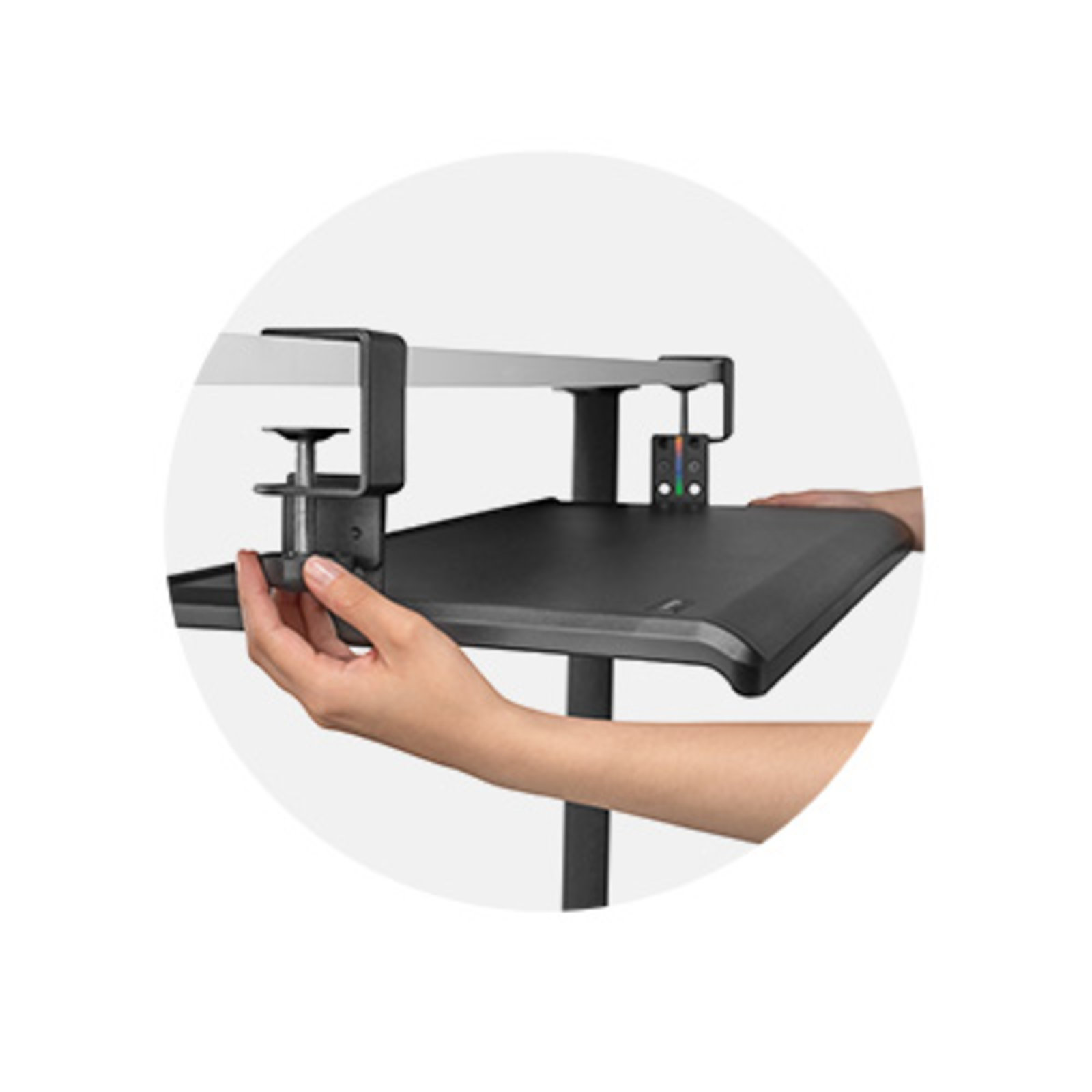
Renters and anyone unwilling to drill should start here. VIVO’s 26.8 × 11-inch platform clamps to desktops from 0.5 to 1.25 inches thick, supports 11 pounds and extends 8.5 inches beyond the desk edge. The 12.3-inch track is short enough for many shallow desks, although it still needs that clear depth below the top. Allow 32.5 inches across the front once the clamps are included.
The compromise is adjustment. The manufacturer lists the tray 1.5 to 2.75 inches below the desktop, with no tilt or swivel. That can lower a keyboard that is slightly too high, but it can’t solve every chair and desk mismatch. VIVO also warns that the clamps don’t suit bevelled edges. I would skip it if your desk has a thick front apron, a rounded edge or drawers directly below the top.
3. VIVO MOUNT-KB15EB: Best for a full-size keyboard and mouse
The KB15EB uses the same clamp and sliding-track idea as the budget pick, but stretches the usable platform to 33.9 × 11 inches. That extra width is the point. A full-size keyboard and mouse can share one level without pushing the mouse to the extreme edge, and the platform still carries an 11-pound manufacturer rating.
Measure the whole assembly, not just the tray. VIVO lists the KB15EB at 39.4 inches across with its clamps, plus the same 12.3-inch track and 0.5-to-1.25-inch desktop range as the smaller model. That’s wider than many compact desks and can run into legs or a side return. It also has no tilt, and a broader particleboard surface gives you more leverage to feel movement if the clamps aren’t seated squarely. I wouldn’t buy the extra width unless the keyboard and mouse really need it.
4. StarTech KBTRAYADJ2: Best negative-tilt pick
This is the most adjustable tray here on paper. Its spring-assisted arm has a 13.4-inch height range, 15 degrees of positive tilt, 13 degrees of negative tilt and 180-degree swivel in either direction when the tray is below the desk. The 26 × 10-inch surface includes a low-profile wrist rest and a mouse pad that can move to either side. StarTech rates the tray for 4.4 pounds.
The fitting requirement is severe. StarTech calls for a 29.5 × 5.7-inch mounting area and a desktop at least 0.8 inch thick. The platform can extend 18.5 inches from the desk edge, so chair arms and walking clearance matter too. Drilling is required. A crossbar can block the long mount, and the modest load rating deserves attention if you use a heavy metal keyboard.
5. Kensington K55407WW: Best heavy-duty clamp tray
Kensington’s clamp-on design is the outlier for capacity. Its product sheet rates the 32.19 × 12.2-inch platform for 30.86 pounds and accepts desktops up to 1.5 inches thick. There is no long track under the desk, so a rear crossbar isn’t the automatic deal-breaker it is with the 3M or StarTech arms. The broad surface is intended for a keyboard plus standard, vertical or trackball mouse.
The Kensington K55407WW product sheet gives an overall height range of 5.35 to 6.85 inches, but it doesn’t publish the exact tray drop or sliding travel. There is no tilt. That makes it easier to fit around frame hardware but less precise for posture than an articulating arm. It also occupies more than 32 inches across the desk edge, and the clamps remain visible on top. Choose it for a solid, drill-free platform, not fine adjustment.
Measure before you buy
- Measure desktop depth and thickness. Check the flat underside, not the rounded top edge. Compare that number with the track or mounting depth and the clamp’s accepted thickness.
- Find the front apron and crossbar. Measure from the front edge to the first obstruction. Include braces, control boxes and cable channels.
- Open every drawer. A pencil drawer, centre drawer or the drawer layout in a standing desk with drawers can occupy the same space as the tray.
- Check a standing-desk frame through its travel. The tray and its cables must clear the crossbar, legs and control wiring at the desk’s lowest and highest positions.
- Check chair-arm clearance. Measure the tray’s lowest point and forward extension. Your chair should move close enough without the arms striking the platform.
- Measure keyboard and mouse width together. Leave enough room to mouse without lifting your elbow away from your side. Don’t assume a platform described as “large” will hold both comfortably.
Now find the right height. Sit with your shoulders relaxed and elbows close to your body, bent at about 90 degrees. The keyboard should meet your hands with your forearms roughly level and wrists straight, not bent upward. The Canadian Centre for Occupational Health and Safety describes a useful range of 90 to 110 degrees at the elbow. Our guide to ergonomic keyboard position walks through the adjustment in more detail.
Do keyboard trays make sense on standing desks?
A tray can make sense when your standing desk’s lowest setting still puts the keyboard above seated elbow height. Because the tray moves with the desktop, the height difference remains useful when you stand. First confirm that the frame crossbar doesn’t occupy the track area and that the added drop won’t hit your thighs at the lowest setting. Our standing desk guide is a better starting point if you’re replacing the desk rather than repairing its fit.
A tray isn’t always the cleanest answer. If the desktop is much too high, a lower desk may give you more knee room and fewer moving parts. If you need to convert a fixed desk for occasional standing, a unit from our standing desk converter guide can raise the monitor and inputs together. Watch the keyboard deck height on a converter too. Fixing one bad level with another is surprisingly easy.
Who should skip a keyboard tray
Skip a tray if your keyboard already sits at elbow height with relaxed shoulders and straight wrists. Lowering it further can create the problem you were trying to solve. A tray also makes little sense when a shallow desktop, glass top, deep apron or standing-desk crossbar leaves no safe mounting area.
People who move forcefully between keyboard and mouse may dislike a narrow platform or any flex at full extension. A compact keyboard on the desktop can be the simpler fix when mouse reach is the only issue. If knee clearance is already tight, measure twice: the platform, arm and mounting hardware all take space below the work surface.
How we chose these keyboard trays
I compared current Canadian Creators API records with each manufacturer’s product page, sheet or manual. A product had to expose enough dimensions to check its platform and mounting fit, identify the mount type, and explain its adjustment. I did not treat marketplace copy as a substitute for manufacturer specifications, and I made no hands-on testing claims.
HUANUO and several generic trays were rejected because I couldn’t verify a complete manufacturer fit sheet. Fellowes models were left out after older manufacturer documents gave inconsistent load figures. The 3M remains despite one disclosed gap because 3M supplies the critical platform, track, mounting-envelope, height and tilt dimensions; it does not publish a load rating. Canadian retail availability and exact US matches were checked again through the price-free Amazon Creators API on October 28, 2026.
Frequently asked questions
Do keyboard trays fit every desk?
No. Screw-mounted trays need clear underside depth and a surface that can safely accept fasteners. Clamp trays need a flat front edge within their thickness limit. Aprons, drawers, bevelled edges and standing-desk crossbars commonly block installation.
How much room should a keyboard tray have for a mouse?
The mouse should sit beside the keyboard at the same level without making you reach outward. Measure both devices together and leave movement space. A compact keyboard can free more mouse room on a 26-inch platform.
Is negative tilt useful on a keyboard tray?
It can be. A slight negative tilt raises the front edge and may help keep the wrist straight when the tray sits below elbow height. Set height first, then use only enough tilt to maintain a neutral wrist position.
Can a keyboard tray go on a standing desk?
Yes, if its track or clamps clear the frame, control box and wiring through the desk’s full travel. Also confirm that the desk can still go low enough for seated work after the tray adds thickness below the top.
The final fit decision
The 3M AKT90LE is the best under-desk keyboard tray here when you have the mounting depth and want meaningful height and negative-tilt adjustment. The VIVO KB05E is the sensible no-drill option for a standard desk, while the KB15EB earns its extra width only when a full-size keyboard and mouse truly need the room. Buy from your measurements, not the product photo. The underside of the desk gets the deciding vote.