
IKEA desk hack works best when you stop treating the drawers as decoration and start measuring the space they steal. A 140 cm top with two ALEX units leaves 68 cm between them. That clears the US Occupational Safety and Health Administration’s 52 cm minimum width, but it is a much tighter desk than the wide photos suggest.
My practical pick is less photogenic and more useful: a 140 x 60 cm LAGKAPTEN top, one ALEX drawer unit, and two ADILS legs. IKEA Canada listed that complete combination at CA$199 when checked on September 23, 2026. It gives you storage, 104 cm of clear seating width, and enough flexibility to move the chair instead of parking your knees between two cabinets.
The catch is the top. LAGKAPTEN uses a lightweight board-on-frame construction with honeycomb paper filling. IKEA rates it for 50 kg of evenly distributed weight and no more than 15 kg concentrated on a small area, but explicitly says it is not suitable for installing a screen stand. This is a build guide based on current specifications, not a claim that I have stress-tested the furniture.
Table of Contents
- The IKEA Desk Hack I Would Build
- Choose the Top Before the Drawers
- Two ALEX Units Cost More Than Money
- Support and Drilling Rules That Matter
- Get the Ergonomics Right
- Cable Management Without Ruining the Top
- Three Builds That Make Sense
- Who Should Skip This
- IKEA Desk Hack FAQ
- The Short Version
The IKEA Desk Hack I Would Build
The sensible IKEA desk hack is the 140 cm LAGKAPTEN and one-ALEX combination from IKEA Canada. The CA$199 package includes the CA$50 top, one CA$129 drawer unit, and two CA$10 ADILS legs. Those component prices add up exactly, so the bundle is convenient rather than secretly discounted.
That is not a complaint. One drawer unit gives you five drawers without turning the underside into a storage corridor. The complete desk is 73 cm high and 60 cm deep. Its depth is enough to place a monitor at least 50 cm away, which matches OSHA’s basic screen-distance guidance, but a large display and a full-size keyboard can still make 60 cm feel busy.
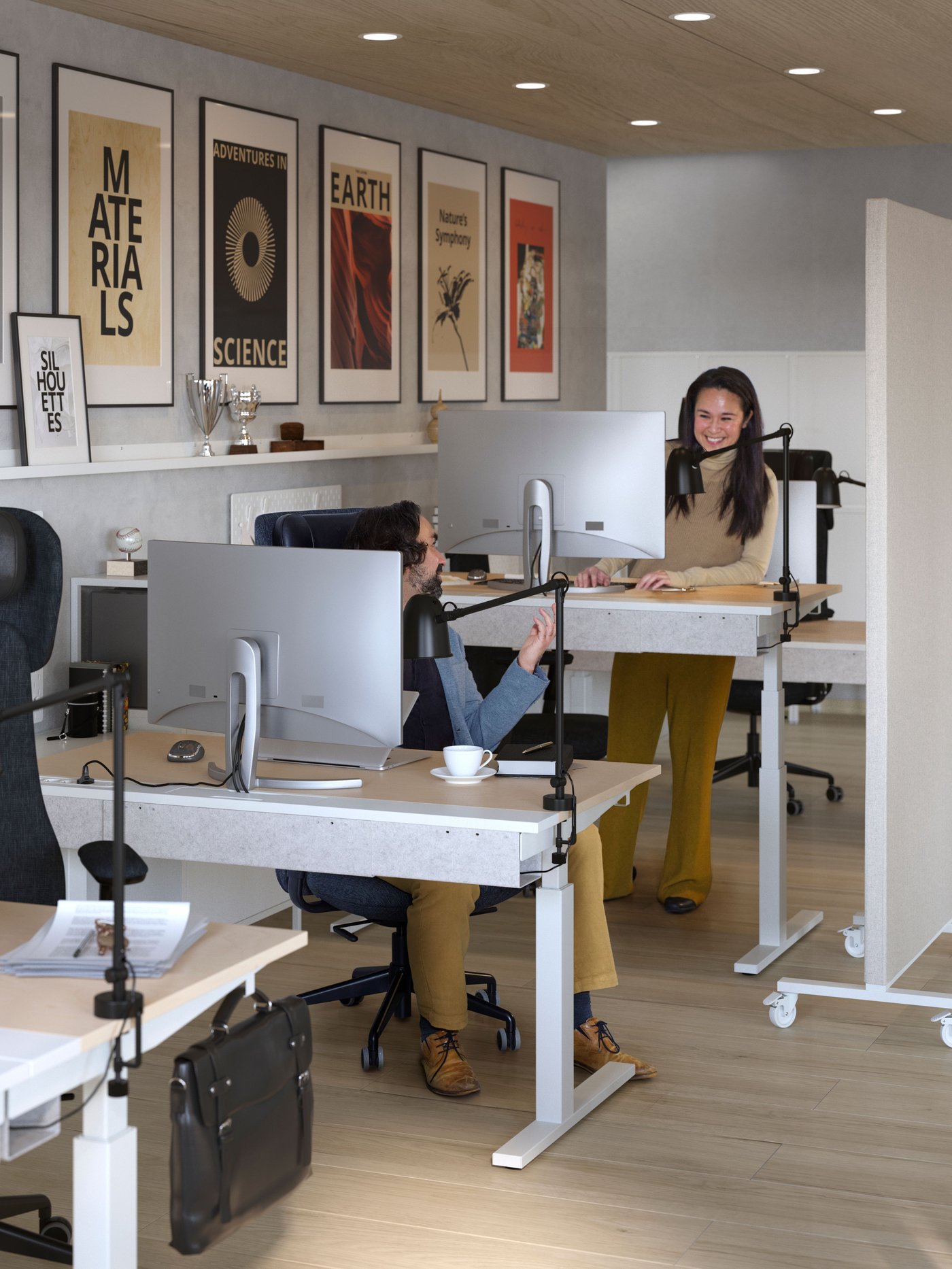
IKEA’s purpose-built MITTZON system in the press image above is not part of this hack. It is a useful reality check. A desk needs open knee space, stable support, cable routes, and room for the chair before it needs matching drawer fronts.
Choose the Top Before the Drawers
LAGKAPTEN is cheap because it is light, not because IKEA has found a secret forest where solid wood costs CA$50. The 140 cm version is 3.4 cm thick and weighs 8.25 kg. Its core combines fibreboard, particleboard, and honeycomb paper filling. That is perfectly reasonable for a home desk used within the published limits.
It is less convincing for a clamp-mounted monitor arm, a heavy desktop tower placed on one small patch, or random screws driven away from the reinforced mounting areas. IKEA says the surface is not suitable for installing a screen stand. I would take that literally and use the monitor’s own base, choose a wall mount fixed into proper structure, or buy a denser worktop whose manufacturer permits the clamp load. The support surface matters as much as the arm rating.
The 200 cm LAGKAPTEN gives dual-monitor users more lateral space for only CA$10 more than the 140 cm top. IKEA requires an extra leg for stability at that length. That instruction is not optional styling advice. A long lightweight panel needs the centre support even when the equipment stays below the overall 50 kg rating.
Two ALEX Units Cost More Than Money
Each ALEX drawer unit is 36 cm wide, 58 cm deep, and 70 cm high. Put two under a 140 cm top and simple subtraction leaves 68 cm between them. Hardware gaps and uneven walls can reduce that usable number a little more.
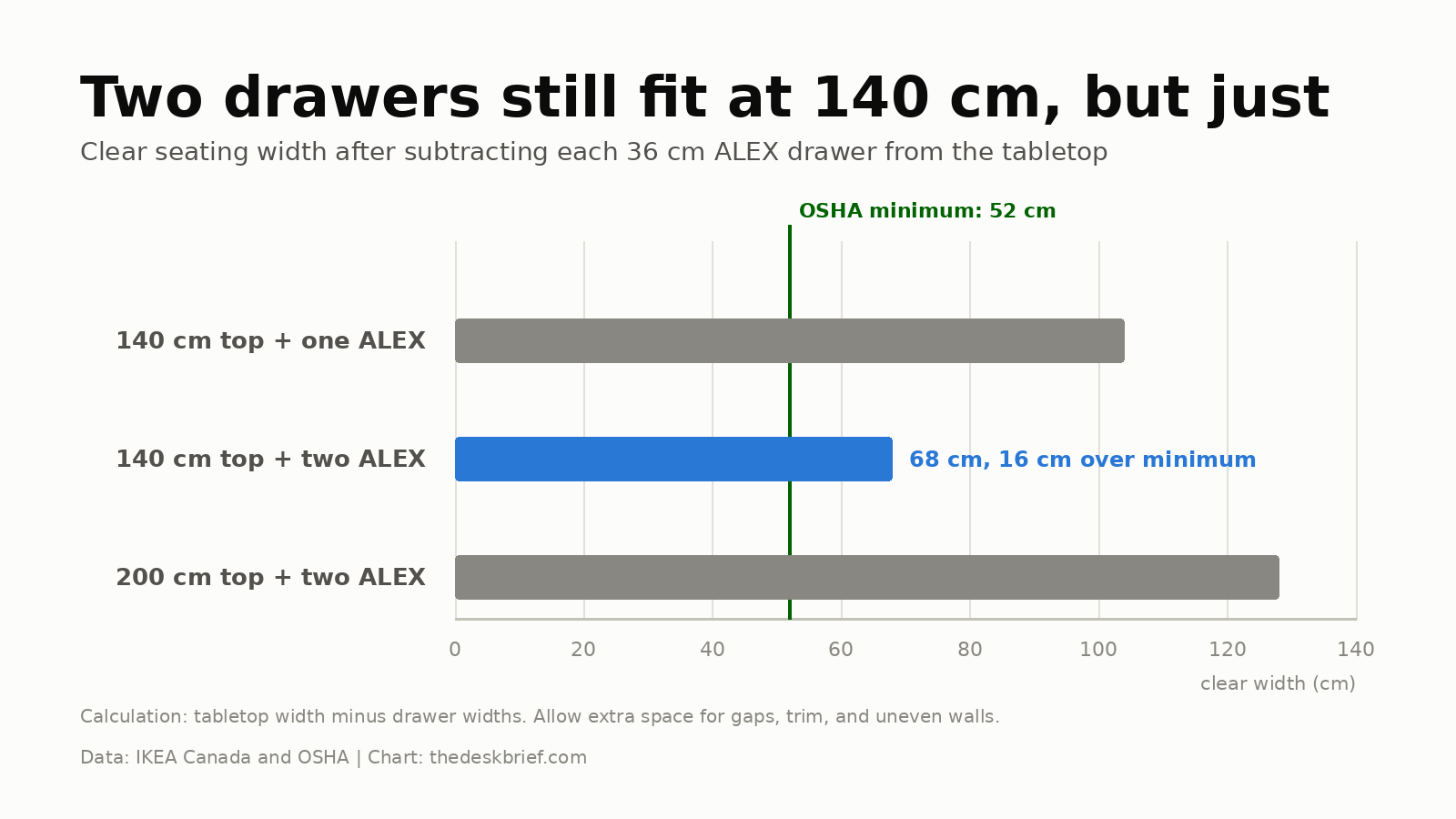
OSHA’s workstation guidance calls for at least 52 cm of clear width, 44 cm of knee-level depth, and 60 cm of foot-level depth. The two-drawer 140 cm build passes the width number by 16 cm, but passing a minimum is not the same as feeling roomy. A chair with wide arms or a person who changes posture often can use that margin quickly.
The drawers have limits too. IKEA lists a 12 kg total load for the ALEX unit, with 4 kg for a standard drawer and 2 kg for a small drawer. It is office storage, not a filing cabinet for dumbbells. One unit is enough for cables, stationery, documents, and the adapters every desk somehow breeds after midnight.
Support and Drilling Rules That Matter
Use IKEA’s pre-drilled mounting locations and the hardware specified for the chosen combination. A honeycomb top does not offer uniform screw holding across its entire surface. That conclusion follows from the published construction, so I would not assume an arbitrary spot can hold a cable tray, power bar, monitor arm, or centre leg just because a screw goes in.
If you add third-party hardware, confirm what material sits below the hole and use the hardware maker’s instructions. Keep heavy gear over a support rather than in the middle of a long span. Re-tighten the furniture fasteners after about two weeks and when needed, which IKEA recommends for the tabletop, legs, and drawer unit.
Do not stack loose risers between ALEX and the top to chase a prettier shadow line. A stable, mechanically secured solution matters more than an extra three centimetres of height. If the stock 73 cm surface is too high, changing the chair and adding a footrest is usually safer than balancing a desk on decorative blocks.
Get the Ergonomics Right
A fixed 73 cm desk will not fit every body. Start with the site’s complete ergonomic desk setup checklist, then set the chair so your elbows stay near the work surface and your shoulders remain relaxed. If that lifts your feet, use a stable footrest. The correct desk height guide walks through the adjustment order without pretending one furniture height is universal.
Keep the monitor directly in front rather than pushing it sideways to make room for a lamp. Sixty centimetres of desktop depth is workable, but the display base, keyboard, and wrists all compete for it. A shallow monitor base or wall mount can recover useful depth, provided the wall mounting is secure and you do not transfer that clamp load onto LAGKAPTEN.
Cable Management Without Ruining the Top
Mounting a large steel tray under a hollow top is not automatically an upgrade. A lighter adhesive raceway, clips placed near supported edges, or a tray attached to a compatible metal leg structure can reduce the number of questionable screw holes. Leave a service loop for anything that moves and keep the power bar accessible.
Route power and data separately where practical, label the cables at both ends, and keep the floor clear for the chair. Our standing desk cable management guide is written for moving frames, but its strain-relief and service-loop rules are just as useful on a fixed desk.
Three Builds That Make Sense
Best budget build: the 140 cm LAGKAPTEN and four-ADILS desk was CA$90. It leaves the full underside open and costs less than one ALEX unit. Choose it if storage can live beside the desk.
Best balanced build: the CA$199 one-ALEX version is my pick. It preserves 104 cm of clear width and gives you enough drawers for normal office clutter. This is the configuration most people mean when they want an IKEA desk hack that looks finished without becoming cramped.
Best wide build: use the 200 cm LAGKAPTEN with two ALEX units and the required centre leg. The top was CA$60, so the basic parts total CA$328 before delivery. It leaves 128 cm between the drawers, but the 60 cm depth and screen-stand warning remain. Width does not turn the top into solid wood.
Who Should Skip This
Skip this route if you need a heavy multi-monitor arm, a height-adjustable surface, commercial-duty durability, or a desk you can repeatedly disassemble and move. A purpose-built frame and compatible top are less charming than a hack, but they remove a pile of structural guesswork.
Also skip the two-ALEX 140 cm layout if you use a wide chair, sit cross-legged, or need to roll between work zones. It technically clears the minimum width. Your knees do not award points for technical compliance.
IKEA Desk Hack FAQ
Will a 140 cm top fit two ALEX drawers?
Yes. Two 36 cm ALEX units leave 68 cm of theoretical clear width under a 140 cm top. That exceeds OSHA’s 52 cm minimum, but measure your chair and allow for gaps before buying.
Can I attach a monitor arm to LAGKAPTEN?
I would not. IKEA says the top is not suitable for installing a screen stand and limits concentrated loads to 15 kg on a small area. Use the monitor’s base, a properly installed wall mount, or a top approved for the arm’s clamp load.
Does the 200 cm top need a centre leg?
Yes. IKEA explicitly requires an extra leg for stability on the 200 cm LAGKAPTEN. Do not rely on two drawer units at the ends to replace the specified centre support.
How tall is the finished desk?
The current LAGKAPTEN and ALEX combination is 73 cm high. If that puts the keyboard above your relaxed elbow height, raise the chair and support your feet or choose an adjustable desk.
The Short Version
The best IKEA desk hack for most home offices is a 140 cm LAGKAPTEN with one ALEX and two ADILS legs. It cost CA$199 when checked, leaves 104 cm of open seating width, and avoids paying for a second cabinet that crowds the chair.
Respect the lightweight top. Keep loads within IKEA’s limits, use the pre-drilled supports, add the required centre leg to the 200 cm version, and do not clamp a monitor arm to a surface IKEA says is unsuitable for a screen stand. A tidy desk that sags is still a bad desk.