L-shaped standing desk shopping starts with a tape measure, not a motor count. If you cannot leave room for the chair, the moving legs, and the return side, the extra surface becomes an expensive way to block a doorway. My short answer is simple: buy one for two genuinely separate work zones, but keep a straight desk if the return will become storage for unopened mail.
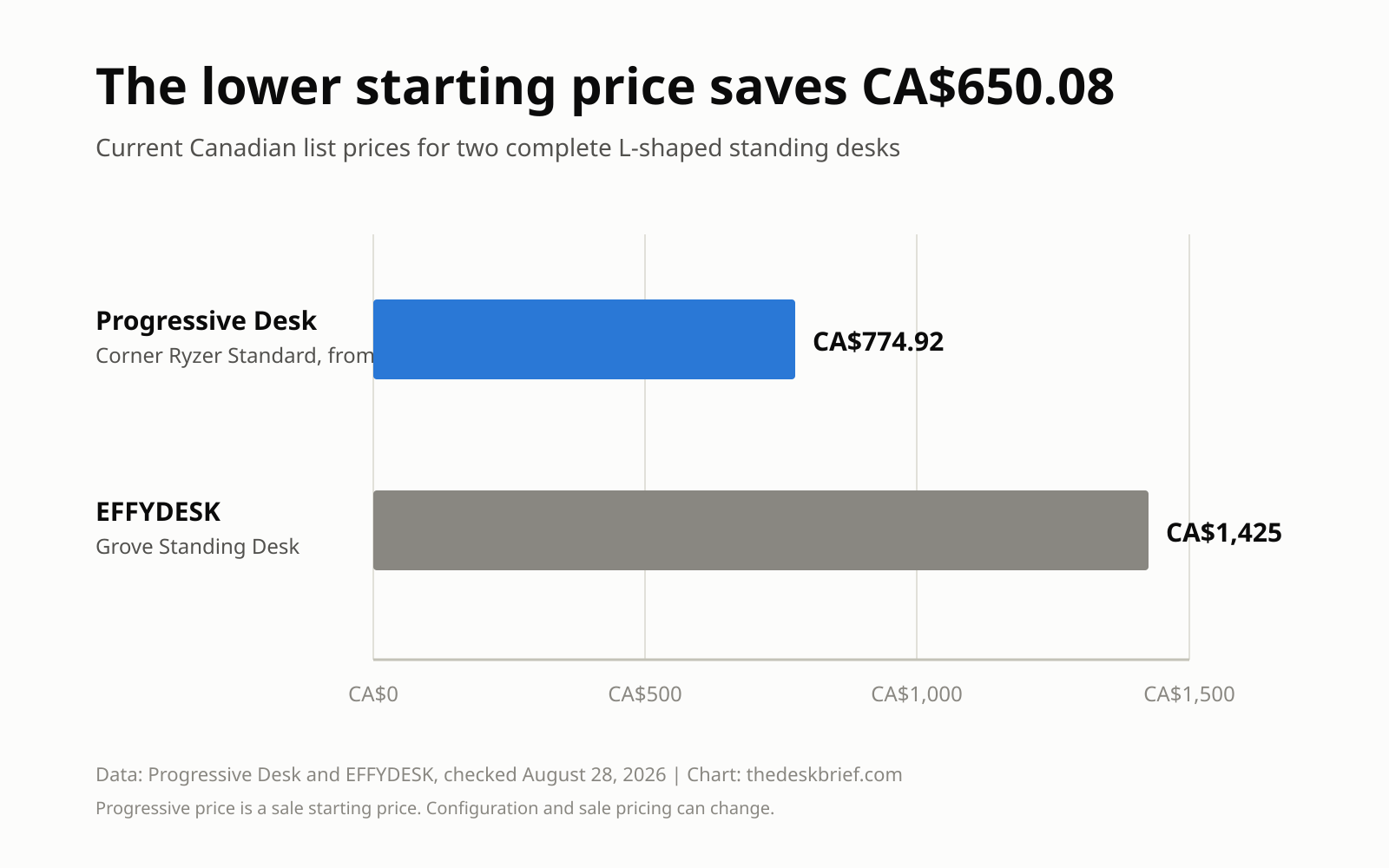
The price gap is not small. On August 28, 2026, Progressive Desk listed its Corner Ryzer Standard from CA$774.92 on sale, while EFFYDESK listed the Grove Standing Desk at CA$1,425. Both are three-column electric desks with large tops. The cheaper desk leaves CA$650.08 for a monitor arm, cable routing, or several months of pretending you will reorganize the office next weekend.
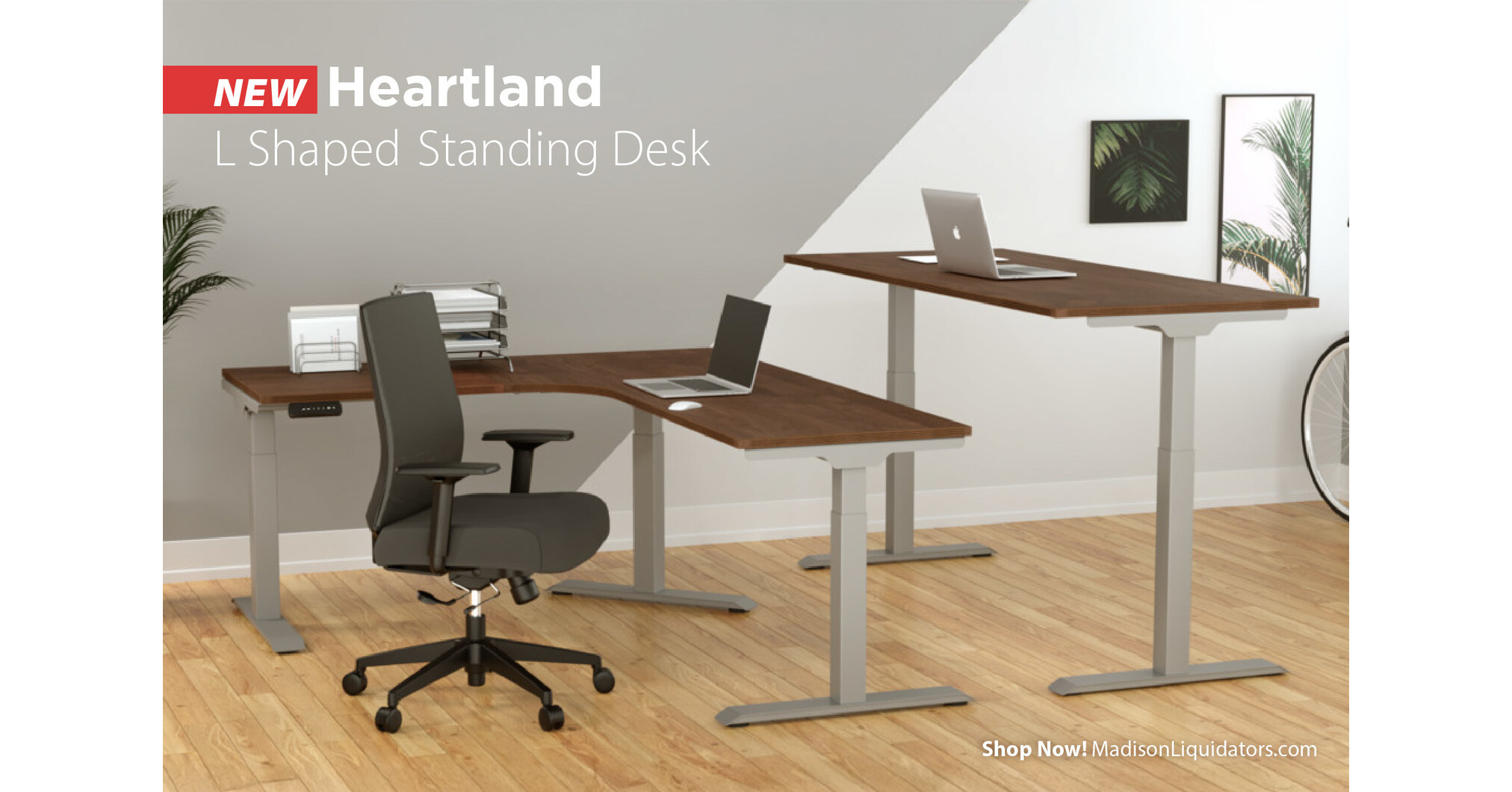
Table of Contents
- L-Shaped Standing Desk Fit Test
- What the Extra Surface Actually Buys
- Two Canadian Desks Worth Comparing
- Set Up the Corner Without Twisting
- Cables, Weight, and the Moving Problem
- Who Should Skip This
- Frequently Asked Questions
- The Short Version
L-Shaped Standing Desk Fit Test
Measure both walls, then mark the full desktop outline on the floor with painter’s tape. Do not stop at the advertised width. Leave space for baseboard heaters, window trim, outlets, and the feet that extend under each column. Open every nearby door and drawer while the tape is down. Furniture dimensions have a talent for becoming obvious five minutes after the return window closes.
Next, pull your chair back as if you were getting up. A desk can fit the corner and still fail the room because the chair collides with a bed, cabinet, or wall. Check whether the return belongs on your left or right. A reversible top is useful if you may move, but confirm that the frame and pre-drilled holes support both orientations before paying.
The last measurement is vertical. Your seated elbow height matters more than the lowest number on a product card. Progressive Desk lists a 23.6-inch to 49.1-inch frame range for the Corner Ryzer Standard. EFFYDESK lists 23 to 50 inches for the Grove. The desktop adds roughly another inch, so shorter users may still need a footrest and a higher chair even when the frame reaches its minimum.
What the Extra Surface Actually Buys
An L-shaped standing desk earns its footprint when the two sides have different jobs. Put the primary monitor, keyboard, and mouse directly in front of you. Use the return for paperwork, a second computer, audio gear, or hardware repair. That separation is more useful than scattering the same task across twice the surface.
The corner can also provide extra monitor depth. OSHA’s workstation guidance says the screen should sit directly in front of you and at least 20 inches away, and specifically notes that a corner can add depth for large monitors. The catch is reach. A mouse parked on the return forces the shoulder outward, which defeats the reason for buying adjustable furniture.
If the goal is simply two monitors, a straight 60-inch desk with a proper arm is usually cheaper and easier to move. The site’s ergonomic desk setup checklist covers the order I would fix the rest of the workstation. Surface area cannot rescue a screen that is too high or a keyboard that is a forearm away.
Two Canadian L-Shaped Standing Desk Picks
I would start with the cheaper Progressive Desk configuration. Its current starting price is CA$774.92, and the listed frame specifications include three motors, a 330-pound capacity, four memory positions, a 23.6-inch to 49.1-inch height range, and a 15-year warranty. The drawback is the word from. Size, tabletop, finish, and the sale can move the final total, so build the exact configuration before comparing carts.
Check the Corner Ryzer Standard at Progressive Desk Canada. The page offers several top sizes from 60 by 48 inches upward. That flexibility is useful, but it also makes careless price comparisons nearly meaningless.
The CA$1,425 EFFYDESK Grove is the premium alternative. EFFYDESK lists a 410-pound lifting capacity, three columns, a 23-inch to 50-inch range, four memory settings, a cable tray, and two particle-board sections measuring 70.9 by 29.5 inches and 41.3 by 29.5 inches. Its standard warranty is 10 years. The stronger capacity and included cable tray are tangible, but I would not spend CA$650.08 more unless the larger top or heavier equipment solves a problem you can name.
| Buying detail | Progressive Corner Ryzer Standard | EFFYDESK Grove |
|---|---|---|
| Price checked | From CA$774.92 sale | CA$1,425 |
| Height range | 23.6 to 49.1 inches, frame | 23 to 50 inches |
| Listed capacity | 330 pounds | 410 pounds |
| Memory positions | 4 | 4 |
| Warranty | 15 years | 10 years standard |
| Named drawback | Starting price changes with configuration | Costs CA$650.08 more |
Set Up the Corner Without Twisting
The inside corner looks like the natural place for the main screen, but only if your chair, keyboard, and monitor all face it. Do not keep the keyboard on one side and the display on the other. The Canadian Centre for Occupational Health and Safety recommends a neutral position with the head facing forward, elbows close to the body at about 90 degrees, and no upper-torso twisting.
Set the keyboard height first, then the monitor. The platform should sit near elbow height while standing, and the display should remain at eye level or slightly below. The site’s desk height guide explains why one factory preset cannot fit every body. Save one seated and one standing position only after your shoulders relax and your wrists stay straight.
Standing all day is not the objective. CCOHS notes that recommendations vary widely, from brief standing intervals to longer rotations, and says alternating position is the key. The motor buys movement. It does not turn eight stationary hours into exercise.
Cables, Weight, and the Moving Problem
Three lifting columns mean three feet, more frame, and more cable paths than a straight desk. Put the power bar under the desktop so one flexible cable travels to the wall. Raise the desk to its highest position before securing anything. If a cable is taut at full height, it is not cable management. It is a countdown.
Count the desktop, monitor arms, displays, computer, speakers, and anything mounted underneath against the capacity. Manufacturer load ratings do not prove equal stability at maximum height, and neither product page supplies independent wobble measurements. Keep the heaviest equipment near columns rather than at the far corner. For the routing sequence, use the site’s standing desk cable management guide.
Who Should Skip This
Skip an L-shaped standing desk if the room barely accepts a straight desk, you move often, or the return has no defined task. It is also the wrong fix for poor screen height, a weak chair, or a keyboard placed too far away. Those problems need smaller, cheaper changes.
Renters should be especially suspicious of a perfect corner fit. Large tops can arrive in several boxes, turn tightly on stairs, and refuse to fit the next room. A straight frame with a mobile side table gives up synchronized lifting but is easier to rearrange and replace.
Frequently Asked Questions
Is an L-shaped standing desk worth it?
Yes, when each side supports a separate task and the room has clearance for the desk and chair. For one computer and two monitors, a straight desk is usually better value.
How much room does an L-shaped standing desk need?
Use the exact configured top dimensions, then add room behind the chair and clearance for doors, drawers, trim, heaters, and moving cables. Tape the outline on the floor before ordering.
Should the return go on the left or right?
Put it on the side that keeps the primary monitor and keyboard directly ahead while leaving the room’s main path open. A reversible model protects you if the layout may change.
Are three motors better than two?
Three columns need coordinated lifting, so three motors are common on full corner frames. Motor count alone does not establish stability, noise, speed, or durability. Read the complete specifications and warranty.
The Short Version
Buy an L-shaped standing desk for two real work zones, not because a product photo looks organized. Measure the room and chair clearance, keep the main tools directly ahead, and plan cables at maximum height. At today’s prices, I would configure the Progressive Corner Ryzer Standard first. The EFFYDESK Grove earns consideration for its larger listed capacity and top, but only if those features justify an extra CA$650.08 in your actual setup.