G75SJ is not a sensible office monitor with extra gaming speed. It is Samsung’s 42-inch curved 4K OLED answer to the person who looked at a television on a desk and decided it needed a tighter curve and a 165 Hz refresh rate. The gaming case is easy to see. The workday case needs much more caution.
Samsung announced the G75SJ at Gamescom on August 27, 2026, but it did not announce a price, a release date, Canadian availability, ports, brightness, warranty terms, or burn-in coverage. My verdict is to wait. A 42-inch 4K OLED can be excellent for games and awkward for eight hours of documents, and Samsung has not supplied enough detail to put money behind the new model.
By Ryan Billings | Published August 30, 2026. This is specification analysis, not a review. I have not tested or handled this monitor.
Table of Contents
- G75SJ Confirmed Specs
- The 42-Inch Desk Problem
- Samsung vs LG C5
- What Samsung Has Not Announced
- Buy, Wait, or Skip
- Who Should Skip This
- FAQ
- The Short Version
G75SJ Confirmed Specs
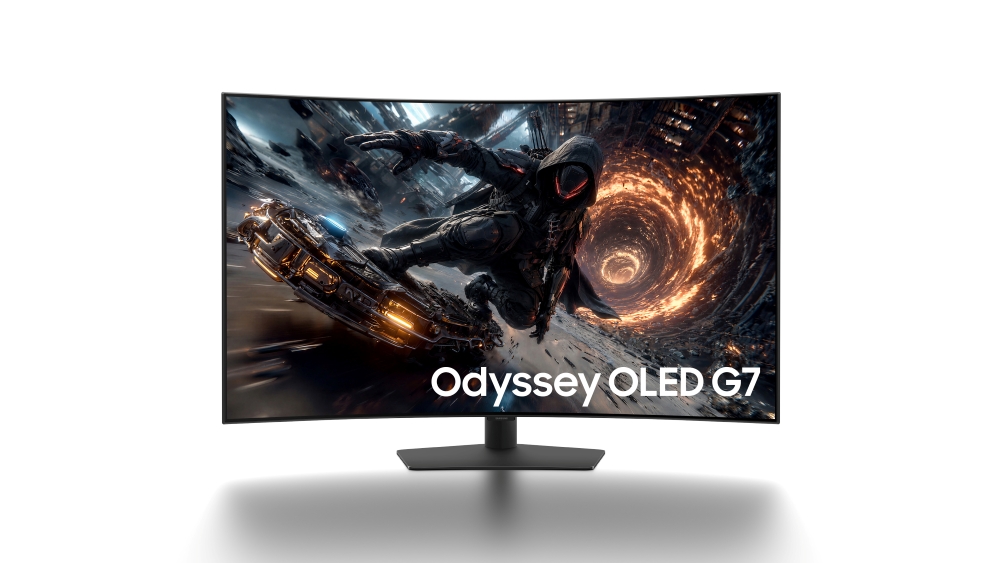
Samsung’s Global Newsroom announcement confirms a 42-inch 16:9 OLED panel, 3840 x 2160 resolution, a 1000R curve, a 165 Hz maximum refresh rate, Glare Free coating, HDR10+ Gaming, and a manufacturer-rated 0.03 ms grey-to-grey response time. The G75SJ is part of Samsung’s 2027 Odyssey lineup.
- 42-inch 16:9 OLED panel
- 3840 x 2160, or 4K UHD
- 1000R fixed curvature
- 165 Hz maximum refresh rate
- 0.03 ms GtG claimed response time
- HDR10+ Gaming support
- Samsung Glare Free coating
Those are announced specifications, not independent measurements. OLED pixels can change quickly, but a response-time claim does not establish input lag, overshoot, usable brightness, colour accuracy, or motion clarity across the refresh range. Samsung has not published enough information to turn a fast panel claim into a complete performance verdict.
The 42-Inch Desk Problem
A 42-inch 4K panel works out to roughly 105 pixels per inch. That is close to a 27-inch 1440p monitor, not a 27-inch 4K monitor. You get more physical canvas, but you do not get finer text. Windows scaling can stay near 100%, which creates room for several windows, while the panel still asks your eyes and neck to cover a very large rectangle.
The 1000R curve makes that rectangle less polite. Its radius is one metre, so the shape is intended to wrap around a close viewer. That can suit a racing game or a single-player RPG. It is harder to justify for two people viewing the screen, straight-line design work, or a desk shallow enough that the display dominates everything behind the keyboard.
Before buying any 42-inch display, measure viewing distance rather than trusting the diagonal. The site’s guide to correct monitor height explains why the top of a huge panel can become the ergonomic problem. If your desk is 60 cm deep, a normal stand may leave too little distance. A wall mount or a deep desk is not a decorative extra here.
G75SJ vs LG C5
The useful reference is the 42-inch LG C5, because it is the same size and resolution and has been tested as a monitor. RTINGS’ exact-model testing found sharp motion and low input lag in Game Mode, but also flagged distracting VRR flicker, slightly blurry text, limited ergonomics, no DisplayPort, no PC-capable USB hub, and burn-in risk. That is a much more useful list than an OLED brochure saying black is black.
| Decision point | Samsung G75SJ | LG C5 42 |
|---|---|---|
| Observed Canadian price | Not announced | CA$1,499.99 at Best Buy, sold out online when checked |
| Screen and resolution | 42-inch 4K OLED | 42-inch 4K OLED |
| Pixel density | About 105 PPI | About 105 PPI |
| Shape | 1000R curved | Flat |
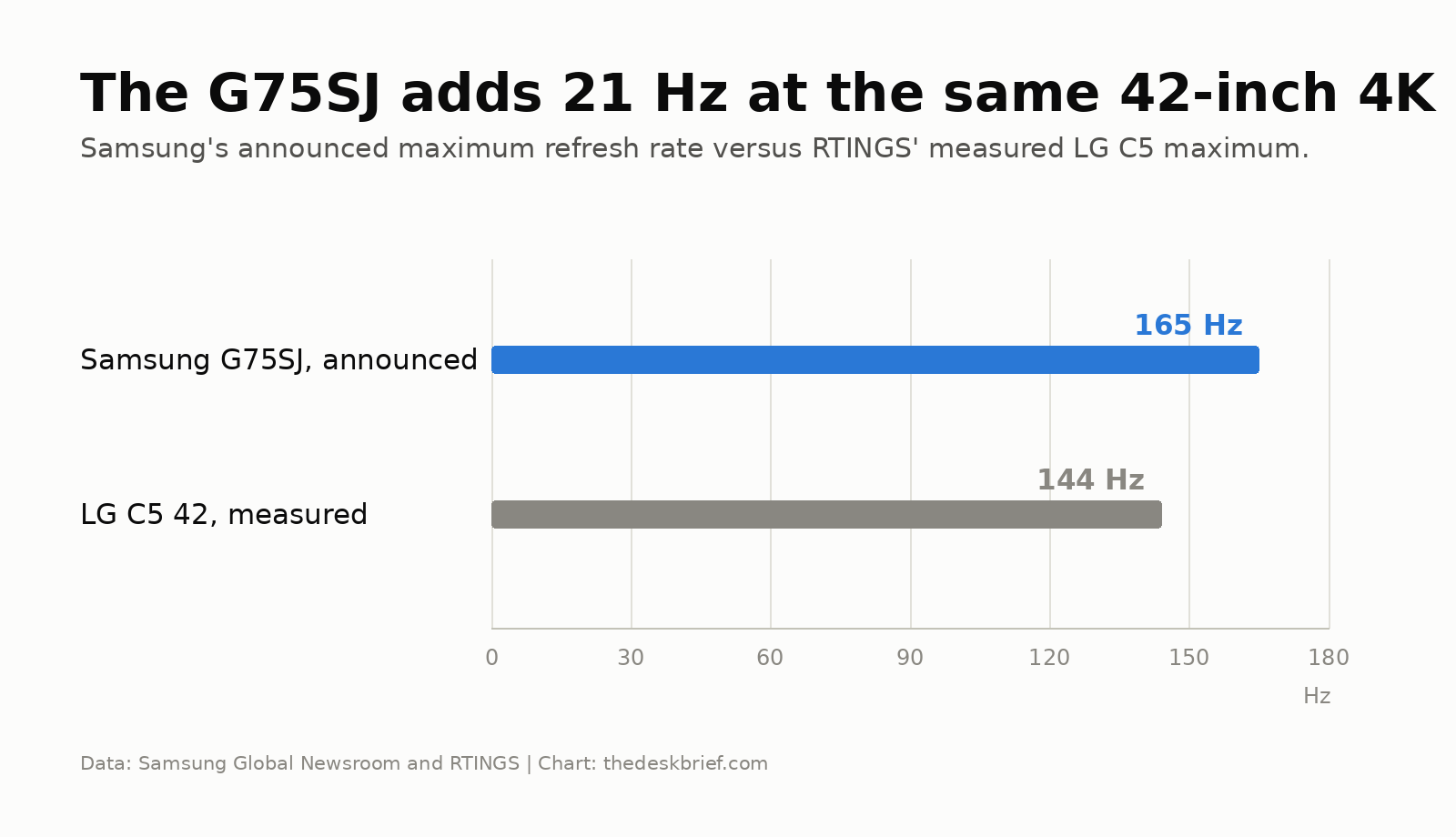
| Maximum refresh rate | 165 Hz, manufacturer specification | 144 Hz, measured by RTINGS |
| Response | 0.03 ms GtG claim, not measured | Near-instant response measured by RTINGS |
| Desk connectivity | Not announced | Four HDMI 2.1 inputs, no DisplayPort or PC USB hub |
| Known drawback | Price, ports, brightness, warranty, and burn-in terms unknown | VRR flicker, low text density, fixed TV-style feet |
The Samsung gains 21 Hz on the tested C5 maximum. That is a real specification difference, but it is not a revolution. Both displays still spread 4K over 42 inches. The curve and any unannounced monitor-specific ports will matter more to most desk setups than the move from 144 Hz to 165 Hz.
What Samsung Has Not Announced
There is no confirmed price or specific release date. Samsung says availability will vary by market, with timing and pricing coming later. Canadian availability is therefore not announced. Any store page that appears before Samsung’s regional launch needs to be treated as a placeholder until stock and seller details are real.
Samsung also has not confirmed the input selection, USB-C power delivery, KVM support, speakers, stand adjustment, VESA mount details, typical brightness, HDR certification tier, panel generation, colour gamut, calibration results, warranty length, or burn-in policy for this model. Some other 2027 Odyssey models have detailed port lists in the same announcement. The G7 does not. Borrowing the G8’s ports would be fiction with a tidy cable-management diagram.
That missing connectivity matters because a giant gaming display can still be poor at laptop work. The gaming monitor versus office monitor guide covers the trade: refresh rate cannot charge a laptop, switch peripherals, or replace a dock. If Samsung omits USB-C and a KVM, this will remain a gaming-first screen no matter how many spreadsheets fit.
Buy, Wait, or Skip
Wait for price, ports, warranty language, and independent testing. This monitor has a coherent purpose for someone who wants a large, curved, 16:9 OLED for immersive PC gaming. It does not yet have a coherent value case. A price near a current 42-inch OLED television could make it interesting. A large monitor premium needs to buy useful connectivity, adjustment, and credible panel protection.
I would also wait for measurements of brightness, input lag, VRR behaviour, text rendering, and reflection handling. Samsung’s coating may help in daylight, while any OLED remains a questionable choice for static applications left open all day. If speed is the priority and 42 inches is absurd for your desk, the site’s 25G590B analysis shows what a genuinely competitive high-refresh monitor optimizes instead.
Who Should Skip This
Skip it if your day is mostly text, your desk is shallow, you share the screen, or you need one-cable laptop docking. A smaller 4K IPS monitor will render text more densely, use less desk depth, and avoid OLED burn-in anxiety. Two conventional monitors can also provide more flexible window placement without forcing every task onto one curved surface.
Console players should wait too. Current consoles top out below the announced 165 Hz ceiling, and Samsung has not confirmed the exact HDMI capabilities or console behaviour. Buying an unreleased monitor for bandwidth that your console cannot use is an impressively expensive way to admire a settings menu.
FAQ
What is the G75SJ release date?
Samsung has not announced a specific release date. It identifies the monitor as part of the 2027 Odyssey lineup and says timing will vary by market.
How much will the Samsung G75SJ cost?
The price is not announced. There is no confirmed US$ or CA$ figure, so I would ignore unsourced estimates and placeholder retailer numbers.
Is 42-inch 4K sharp enough for office work?
It is usable, but roughly 105 PPI is less dense than 27-inch or 32-inch 4K. RTINGS found the same-size LG C5 slightly blurry for text. Viewing distance and font rendering will matter.
Does it have USB-C or a KVM?
Samsung has not announced either feature for this model. Do not assume it inherits the USB-C and KVM hardware listed for the separate Odyssey OLED G8.
The Short Version
G75SJ combines a 42-inch curved 4K OLED panel with 165 Hz and a 1000R curve. That is compelling for immersive games and excessive for ordinary desk work. Price, ports, brightness, warranty, burn-in coverage, and Canadian timing are still unknown. Wait for those details and real measurements before buying.