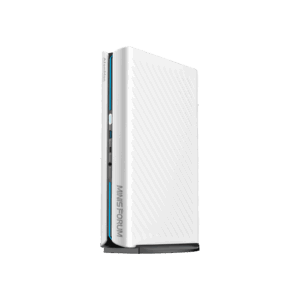
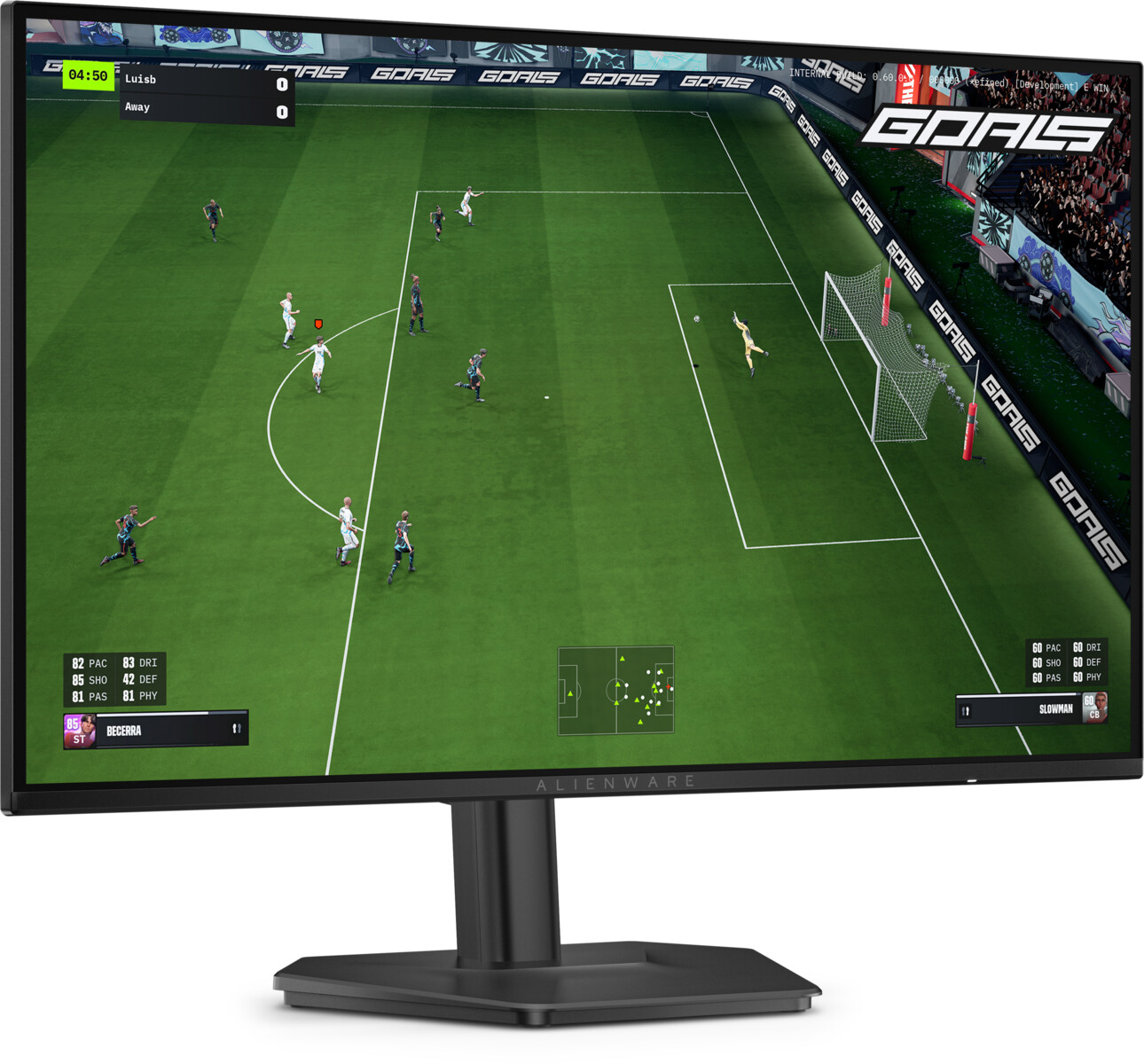
US$229.99 is the number that makes the Alienware AW2726DL worth a second look, because that is what Dell is asking right now for a 27-inch, 280 Hz gaming monitor with the Alienware badge on the chin. That price already sits US$70 under the US$299.99 the AW2726DL launched at on July 28, 2026, and it undercuts every QD-OLED panel Alienware and its rivals would rather sell you.
The question is not whether US$229.99 is cheap. It is whether an IPS panel at 280 Hz gives up too much to the OLED crowd, or whether it is the smarter buy for a desk that answers email all day and games at night. I have not tested this monitor. As of August 29, I also could not find a full instrumented review of the exact IPS model from Tom’s Hardware, RTINGS, Monitors Unboxed, or TFTCentral. What follows is a current spec-sheet evaluation against the panels it competes with, not a hands-on verdict.
Last updated: August 29, 2026.
This page contains affiliate links. If you buy through these links, we may earn a small commission at no extra cost to you. Full disclosure.
Don’t want to read the whole article? Here are our quick picks.
1Best 280 Hz IPS value Alienware AW2726DL. 27-inch 280 Hz IPS, the cheapest Alienware gaming monitor available.

Alienware 27 Gaming Monitor AW2726DL, WQHD IPS Panel, 280Hz, 1ms
Price and availability may change.
View Current PriceTable of Contents
- AW2726DL Review: Is It Worth It?
- What 280 Hz on an IPS panel gets you
- AW2726DL vs the QD-OLED alternatives
- The gaps in Alienware’s spec sheet
- Who Should Skip This
- FAQ
- The Short Version
AW2726DL Review: Is It Worth It?
Yes, the AW2726DL is worth considering at US$229.99 if you want QHD, 280 Hz, and an adjustable stand without OLED pricing. Alienware monitors do not usually show up at the bottom of the price sheet, which is what makes this one interesting. Dell still lists the AW2726DL at US$229.99, down from its US$299.99 launch price, while Dell Canada now lists it at CA$299.99. For context, Alienware’s 27-inch QD-OLED AW2726DM arrived at US$349, and the ASRock PGO27QSA QD-OLED sells for roughly US$299 for the black model. The IPS Alienware is the most affordable of the bunch and the only one that hits 280 Hz.
In the UK, Dell lists the AW2726DL at £179.00 including VAT with Add to Basket. You can also search Amazon UK for the AW2726DL.
If your budget tops out near US$250 and you were already scanning our roundup of 27-inch monitors under US$300, it earns a spot on the list on price alone. The harder call is what a fast IPS panel costs you in image quality against the OLED options, and that is a real trade rather than a rounding error. It is also worth deciding up front whether you want a gaming panel at all, or the flatter, calmer profile of an office monitor versus a gaming monitor for a desk that mostly works.
What 280 Hz on an IPS panel gets you
The panel is a 27-inch, 2560 by 1440 IPS with an anti-glare coating and a 109 PPI pixel density, per TechPowerUp’s launch coverage and Dell’s own spec sheet. That resolution at 27 inches is the sweet spot most desk workers land on: sharp enough for text without the scaling headaches of 4K, and light enough that a mid-range GPU can actually feed 280 frames per second in competitive titles. The 280 Hz ceiling is the DL’s one genuine bragging point, since both QD-OLED rivals in its price band stop at 240 Hz.
Alienware quotes response times of 1 ms gray-to-gray in Extreme mode, 2 ms in Super Fast, and 4 ms in Fast. Read the 1 ms figure as the marketing number: IPS pixels rarely transition that quickly in practice, and the Extreme overdrive setting that gets there often adds visible overshoot. It will still be quick, just not OLED quick. The brightness spec is a modest 400 nits, the native contrast is 1,000:1, and color coverage is 93% DCI-P3. None of those are bad for the money, but they are the numbers where an IPS panel shows its age next to OLED, and the 1,000:1 contrast in particular means blacks that read as dark gray in a dim room. If accurate color matters for your work, plan to spend ten minutes dialing in the monitor color settings out of the box.
Connectivity is where this monitor keeps things simple. You get one HDMI 2.1 input that carries the full 2560 by 1440 at 280 Hz with HDR and variable refresh, plus a DisplayPort 1.4 connection. Dell officially lists AMD FreeSync Premium and VESA AdaptiveSync. Its current product page does not claim NVIDIA G-SYNC Compatible certification. The fully adjustable stand is a real plus at this price, with 130 mm of height travel, tilt from -5 to 21 degrees, 173 degrees of swivel each way, and pivot for portrait. There is no USB-C, no USB hub, and no confirmed speaker, so this is a screen and two video inputs, nothing more.
AW2726DL vs the QD-OLED alternatives
Here is the trade laid out against the two QD-OLED panels a shopper at this size and resolution will cross-shop. All figures are manufacturer specifications or retailer listings gathered this week, not measurements I took.
| Spec | Alienware AW2726DL | ASRock PGO27QSA | Alienware AW2726DM |
|---|---|---|---|
| Panel | 27″ IPS, anti-glare | 27″ QD-OLED | 27″ QD-OLED |
| Resolution | 2560 x 1440 | 2560 x 1440 | 2560 x 1440 |
| Refresh rate | 280 Hz | 240 Hz | 240 Hz |
| Rated response | 1 ms GtG (Extreme) | 0.03 ms GtG | Sub-1 ms (QD-OLED) |
| Contrast | 1,000:1 native | Per-pixel (OLED) | Per-pixel (OLED) |
| Color / HDR | 93% DCI-P3, HDR over HDMI | HDR10 | 99% DCI-P3 |
| Adaptive sync | FreeSync Premium, VESA AdaptiveSync | FreeSync Premium | VESA AdaptiveSync |
| US price | US$229.99 | about US$299 | US$349 |
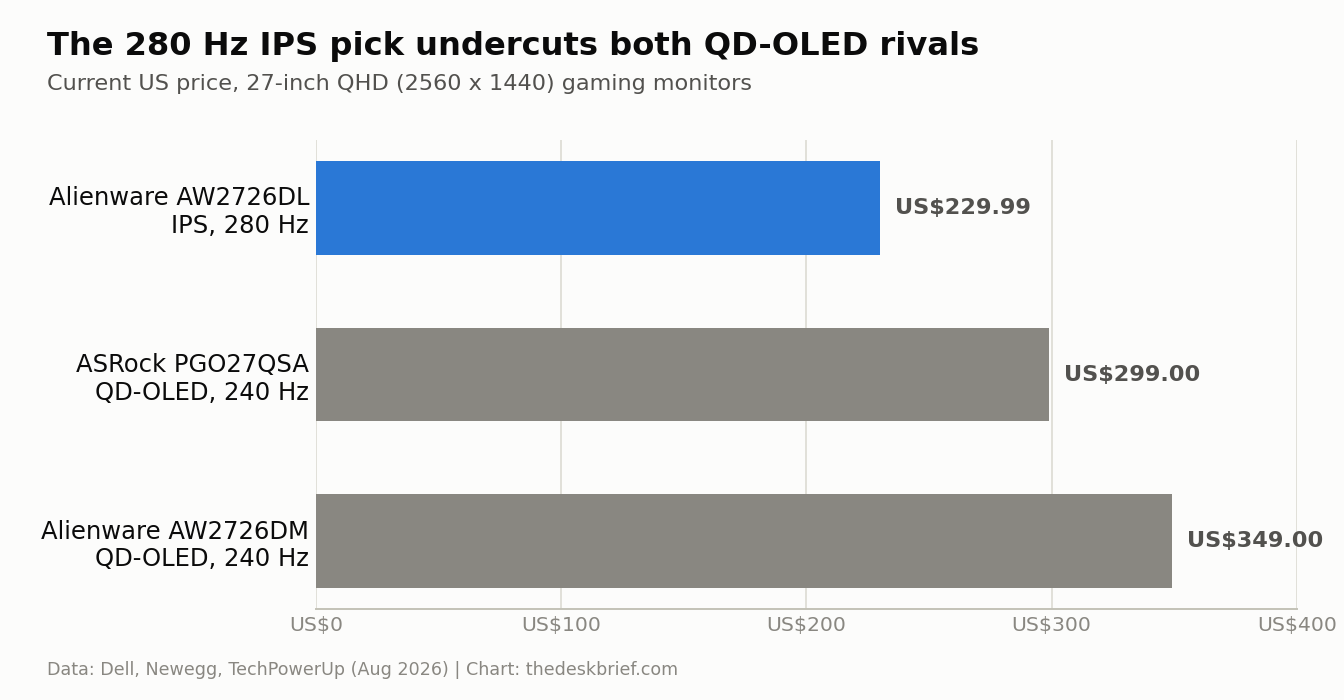
The US$70 to US$119 you save going IPS buys real convenience and costs real image quality. QD-OLED gives you per-pixel contrast that no IPS panel can touch, a 0.03 ms response that makes motion look painted on, and wider, punchier color. Tom’s Hardware called the AW2726DM a price breakthrough for desktop OLED, and it is not wrong. If you game in a dark room and watch movies at your desk, spend the extra US$120 and get the DM or the PGO27QSA.
The case for the DL is the boring, practical one. OLED panels still carry burn-in risk from static taskbars, docks, and spreadsheets, and they dim hard when a bright full-screen window fills them. A 400-nit IPS panel does not flinch at a white document open for eight hours, and it costs less to replace if something goes wrong. For a desk that works far more than it plays, the cheaper IPS panel is the sensible pick, and the 280 Hz means it still keeps up when you do fire up a shooter.
The gaps in Alienware’s spec sheet
The official listing is now detailed, but the decision-relevant measurements are still missing. Dell publishes 1 ms gray-to-gray in Extreme mode, 2 ms in Super Fast, and 4 ms in Fast, yet there is still no independent response-time, overshoot, input-lag, or calibrated color data from a major English-language test lab. Dell also lists HDR10 input support but no VESA DisplayHDR tier. Treat HDR as compatibility, not evidence of high-impact HDR performance.
Canada is no longer an availability gap. Dell Canada lists the AW2726DL in stock at CA$299.99, with a three-year Advanced Exchange warranty. Dell’s revised product details also give a 7.28 lb panel weight and 11.05 lb with the stand and cables. The panel supplier and independent measurements remain undisclosed, so those are the gaps that still matter.
Who Should Skip This
Skip the AW2726DL if image quality is the point of the purchase. Anyone editing photos or video, grading color, or gaming mostly in a dark room will be happier with QD-OLED, and the US$120 gap is worth it for that crowd. Skip it too if you need a one-cable desk: there is no USB-C for laptop charging and no built-in hub, so a docking-heavy setup is better served elsewhere.
And skip it if you already own a good 144 Hz or 165 Hz QHD panel. The jump to 280 Hz is real but subtle, and it only pays off in fast competitive shooters at frame rates your GPU can actually reach. If you are not chasing the top of the refresh curve, that money is better spent on a chair or a second monitor.
FAQ
Is the AW2726DL an OLED monitor?
No. It uses a 27-inch IPS panel, not OLED. That is the reason it costs US$229.99 instead of the US$349 Alienware charges for its QD-OLED AW2726DM. You trade OLED contrast and response for a lower price, higher sustained brightness, and no burn-in worry.
Does it support FreeSync and G-SYNC?
Dell officially lists AMD FreeSync Premium and VESA AdaptiveSync. Its current specification does not list NVIDIA G-SYNC Compatible certification, so do not buy it on the assumption that the badge is included.
Is 280 Hz actually better than 240 Hz?
On paper yes, in practice barely. The step from 240 Hz to 280 Hz is a small reduction in frame time that only trained competitive players tend to feel, and only when the GPU sustains those frame rates. For most desk workers who game casually, panel quality matters far more than the last 40 Hz.
Is the AW2726DL available in Canada?
Yes. Dell Canada lists the AW2726DL at CA$299.99 and shows it available to order as of August 29, 2026. Prices and stock can move, so check the linked Dell Canada listing before buying.
The Short Version
At US$229.99, the Alienware AW2726DL is the most affordable way into a 27-inch QHD gaming monitor with a name brand and a 280 Hz IPS panel, and it undercuts the QD-OLED field by US$70 to US$119. It gives up OLED contrast, response, and color to get there, and it skips USB-C and certified HDR entirely. Buy it for a work-first desk that games on the side and wants no burn-in worry; spend the extra US$120 on a QD-OLED if picture quality is the whole point. At CA$299.99 from Dell Canada, it now makes the same value argument north of the border.
Sources: Dell AW2726DL product page, Dell Canada AW2726DL listing, TechPowerUp launch report, and Tom’s Hardware AW2726DM review.
Editorial rating: 4.0 out of 5. The AW2726DL is a strong value for a work-first desk that also needs fast QHD gaming, with a 280 Hz IPS panel and no OLED burn-in concern. It gives up OLED contrast, USB-C, and meaningful HDR, so image-quality-first buyers should spend more.
Current offer checked August 30, 2026: CA$299.99, in stock. Prices and availability can change.