
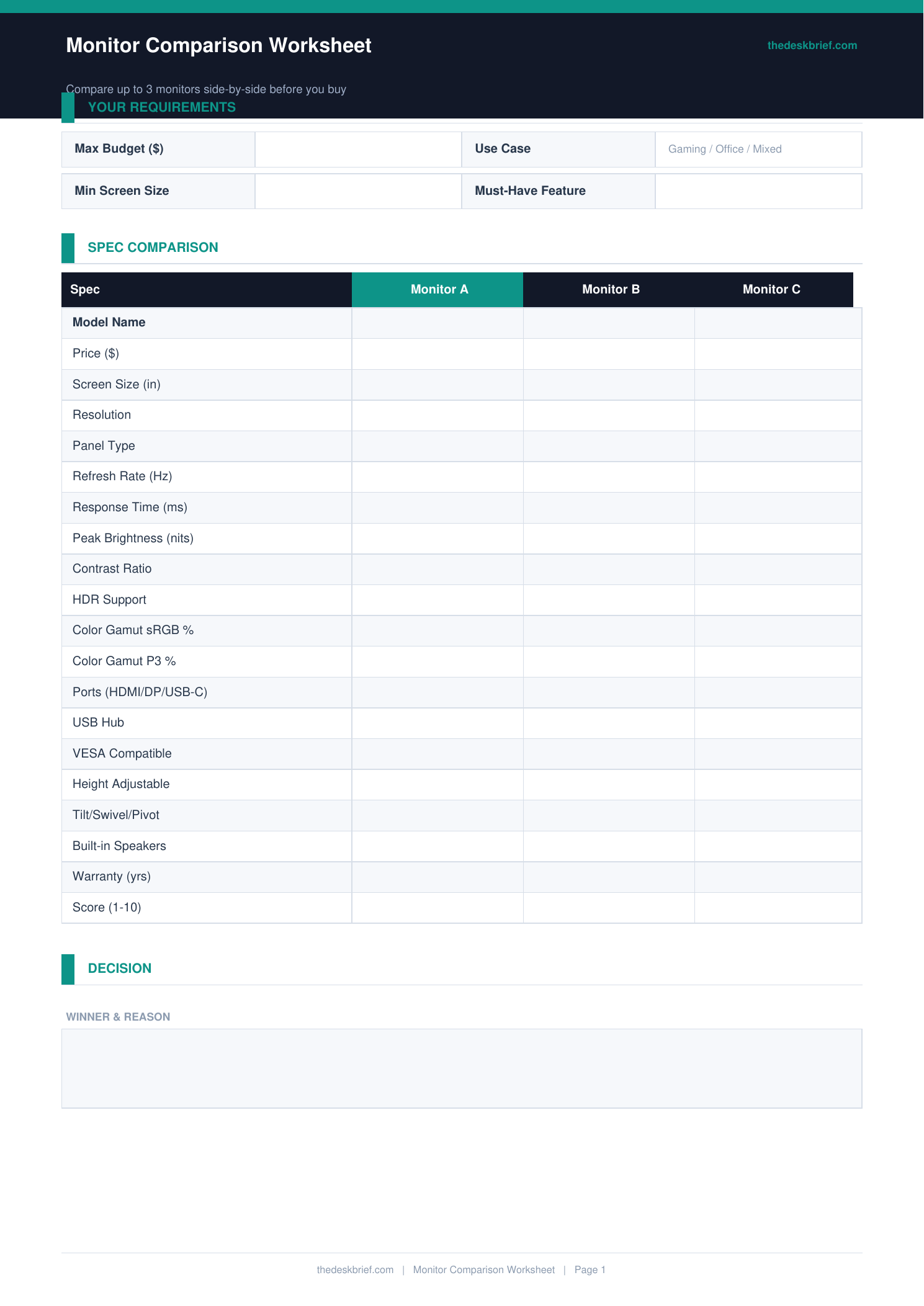
Buying a monitor without comparing specs leads to returns. This worksheet puts every monitor side by side across 15 specs so you choose the right one for your use case before spending.
What’s Inside
- 4-monitor comparison table: size, resolution, panel type, refresh rate, response time, brightness
- Port and connectivity row: HDMI, DisplayPort, USB-C, USB hub
- Stand and mounting: height adjustment, tilt, swivel, pivot, VESA compatibility
- Use case fit scoring: Office, Creative, Gaming, Coding, Video Calls
Print tip: Works on standard letter (8.5×11″) or A4 paper. Print at 100% scale with no page scaling. Designed to be printed and filled in by hand.
How to Use This Template
- Write your non-negotiable requirements before comparing monitors. If you need USB-C power delivery for a laptop, any monitor without it is eliminated regardless of other specs.
- Fill in one row at a time for each monitor. Comparing spec by spec across all monitors introduces bias toward the monitor you already prefer.
- Score each monitor for use case fit at the bottom. A monitor that scores highest on Office and Coding is a better choice than one with impressive Gaming specs you will not use.
- Make the final decision from the completed worksheet rather than from memory. If two monitors are close, the tiebreaker should be the spec most relevant to your primary use case.
Frequently Asked Questions
What panel type should I choose for home office work?
IPS panels offer the best combination of colour accuracy, viewing angles, and contrast for home office use. VA panels have better contrast but narrower viewing angles. TN panels are cheaper but have poor colour and viewing angles.
Does refresh rate matter for office work?
For document editing, spreadsheets, and video calls, 60 Hz is fine. If you work with video, animation, or frequently switch between many windows, 75-144 Hz makes a noticeable difference to perceived smoothness.
What is VESA mounting and do I need it?
VESA is the standard hole pattern on the back of a monitor for attaching arms and wall mounts. You need VESA compatibility if you plan to use a monitor arm. Check that the VESA pattern size matches your arm.
Is this worksheet free?
Yes, completely free. No email required. Print one copy per purchasing decision.