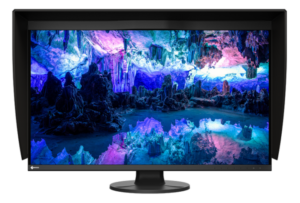
MSI 271UPJW12 is the clumsy name bolted onto a genuine milestone: the world’s first 27-inch 4K 120Hz inkjet-printed OLED monitor. MSI announced it on August 3, 2026, and the panel underneath is the real story, because it is the first consumer display built on TCL CSOT’s inkjet-printed (IJP) OLED process rather than the LG WOLED or Samsung QD-OLED sheets every other OLED monitor uses.
Last updated: September 11, 2026.
Here’s the part MSI’s press release buries. MSI’s own release still leaves price and ship date blank, but Gamescom reporting now supplies an attributed European estimate. And one number that is on the sheet, a 15W USB-C port, is low enough that it changes who this monitor is for. No independent reviewer has touched the MSI 271UPJW12 yet, so everything below is spec analysis, not a review. I’m reading MSI’s own claims and TCL CSOT’s panel details, and flagging what nobody can confirm until units ship.
If you’ve been waiting for a 4K OLED that fixes the text-fringing complaint people have about QD-OLED, this panel is worth understanding. Just don’t confuse a first-of-its-kind announcement with something you can order this week.
Table of Contents
- What MSI actually confirmed
- IJP OLED, without the marketing
- The 15W USB-C problem
- MSI 271UPJW12 versus the QD-OLED you can buy today
- Reported European price and launch window
- Who should skip this
- Frequently asked questions
- The Short Version
What MSI actually confirmed
Start with what’s solid. Per MSI’s release, carried in full by TechPowerUp, the panel is a 27-inch 4K display running at 120Hz, with a 164 PPI pixel density and, crucially, an RGB Stripe sub-pixel layout. It covers 99% of DCI-P3 with a rated Delta E under 2, carries VESA DisplayHDR True Black 500 certification, and hits up to 1,000 nits peak brightness in HDR. MSI also lists an anti-glare coating that raises surface hardness from 2H to 3H for scratch resistance, plus a built-in KVM, PIP and PBP, and a fully adjustable ergonomic stand.
The eye-comfort marketing is heavier than usual. MSI cites TUV-certified hardware low blue light and flicker-free operation, Eyesafe 3.0 certification, and Circadian Protection Factor compliance aimed at the wavelengths that mess with sleep. That’s a real selling point if you stare at a screen past dark, and it’s the same territory covered in our look at whether an OLED monitor helps or hurts eye strain. Treat the certifications as claims until a lab measures the panel.
There’s also MSI OLED Auto Care, which the company describes as burn-in compensation that runs in the background instead of forcing the disruptive pixel-refresh pauses OLED owners know. Useful if it works as described. Nobody outside MSI has verified it.
IJP OLED, without the marketing
Inkjet-printed OLED is a manufacturing method, not a brightness spec. Instead of evaporating the organic material across a whole sheet the way WOLED and QD-OLED lines do, TCL CSOT prints the emissive layers with what is effectively a precision inkjet head. OLED-Info, which tracks this industry closely, confirms the MSI 271UPJW12 is the first consumer monitor to ship a TCL CSOT IJP panel. The pitch is lower material waste and, eventually, cheaper large OLED, which matters for a category that has stayed expensive.
The part that actually reaches your eyes is the sub-pixel layout. QD-OLED uses a triangular red-green-blue arrangement that Windows text rendering wasn’t designed for, which is why fine black text on a white background can show faint color fringes on those panels. The MSI 271UPJW12 uses a Real RGB Stripe layout, the same side-by-side order as a normal LCD. That geometry should give it cleaner text than a QD-OLED at the same resolution, which is the whole reason a productivity buyer would care. Should, not does: no reviewer has photographed this panel’s text yet, so the fringe-free claim is a prediction, not a measurement.
The 15W USB-C problem
Here’s where the spec sheet undercuts the ambition. The MSI 271UPJW12 lists USB-C with 15W Power Delivery. That is enough to keep a phone or a tablet topped up. It is nowhere near enough to run a laptop, which needs 65W to 100W to charge under load. A commenter on the announcement assumed a 98W port because that’s normal for a monitor pitched at Mac and laptop desks; MSI’s own release says 15W.
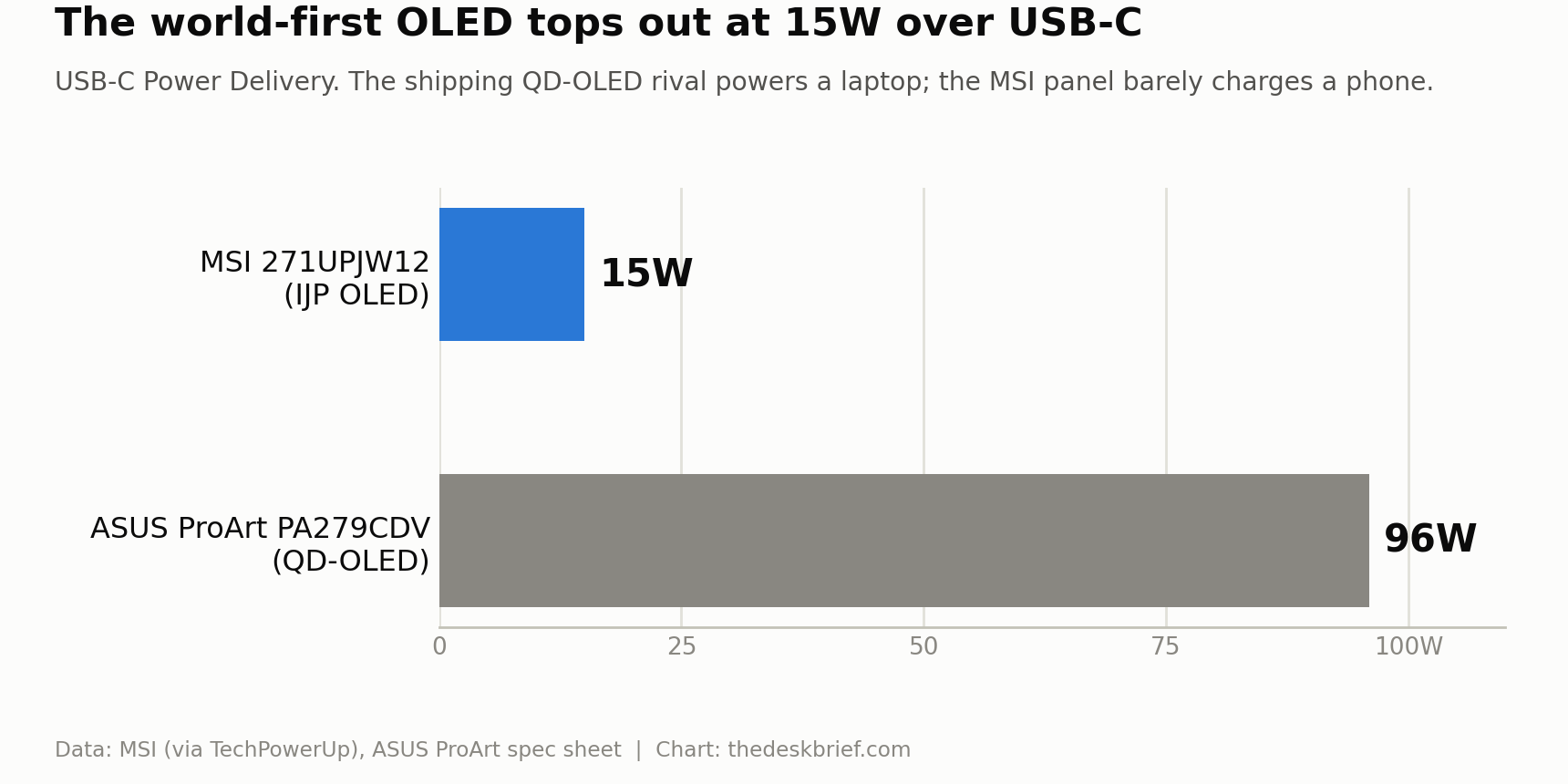
Why it matters: a single-cable desk is the reason most people pay extra for USB-C on a monitor at all. Plug in one cable, the laptop charges and drives the screen, done. With 15W the MSI 271UPJW12 can carry your video and data over that cable, but your laptop still needs its own charger. The built-in KVM softens this for a two-machine desktop setup, yet for the laptop-plus-dock crowd it’s a real miss on a monitor this premium. If a clean single-cable desk is your priority, our gaming monitor versus office monitor breakdown explains why that port spec often matters more than the panel.
MSI 271UPJW12 versus the QD-OLED you can buy today
The honest benchmark isn’t a weak old monitor, it’s a good OLED you can order right now. The ASUS ProArt Display PA279CDV is a 27-inch-class 4K QD-OLED that launched at US$699, and I re-checked its spec sheet for this comparison. It shows what the MSI has to beat, and where the MSI’s newer panel might actually pull ahead.
| Spec | MSI 271UPJW12 (IJP OLED) | ASUS ProArt PA279CDV (QD-OLED) |
|---|---|---|
| Panel technology | Inkjet-printed OLED, RGB Stripe | QD-OLED, triangular sub-pixel |
| Size / resolution | 27-inch / 3840×2160 | 26.5-inch / 3840×2160 |
| Pixel density | 164 PPI | 166 PPI |
| Refresh rate | 120Hz | Up to 120Hz |
| HDR certification | DisplayHDR True Black 500 | DisplayHDR 400 True Black |
| Peak brightness (HDR) | Up to 1,000 nits | 1,000 nits |
| Color gamut | 99% DCI-P3, Delta E under 2 | 99% DCI-P3, 100% sRGB |
| USB-C power delivery | 15W | 96W |
| Built-in speakers | Not stated | Yes (2W x 2) |
| KVM switch | Yes | Yes |
| Warranty | Not stated | 3 years |
| Price (US launch) | Not announced | US$699 |
Read the table as two columns of tradeoffs. The MSI 271UPJW12 wins on the higher DisplayHDR True Black 500 tier and, if the RGB Stripe layout delivers, on text clarity. The ASUS wins on the things you can verify today: a shipping price, 96W of USB-C power, real speakers, and a stated three-year warranty. If you want a creator-grade 4K OLED on your desk this month, the ASUS is the safe pick, and our full look at the ASUS ProArt PA279CDV covers where QD-OLED still earns its keep.
Reported European price and launch window
This is the line that decides the whole thing. Geeknetic reported from Gamescom 2026 that MSI representatives gave an early-2027 European window and a €699 suggested price. MSI has not published those details on its product page, so treat them as attributed event reporting, not confirmed retail pricing. Canadian availability remains unknown.
What that means practically: there is nothing to buy and nothing to pre-order. The realistic move is to note the reported €699 European target and wait for a confirmed retail listing and the first instrumented review that photographs the text and measures the brightness. A world-first is exciting. It’s also exactly the kind of product where the second batch, with a known price and a fixed early-unit quirk or two, is the smarter buy.
Who should skip this
Skip the MSI 271UPJW12 for now if you need a monitor this quarter, because the reported early-2027 window is not a firm retail date and the €699 figure is not on MSI’s product page. Skip it if a one-cable laptop desk is the point of buying USB-C, because 15W won’t charge your machine. And skip it if you’re a color-critical professional who needs measured, calibrated accuracy on day one, since there’s no independent testing to trust yet.
Keep watching it if you specifically want clean text on an OLED and you’re willing to wait for reviews. The RGB Stripe layout is the most interesting thing here, and if it holds up, it addresses the single most common complaint about OLED on a work desk.
Frequently asked questions
How much does the MSI 271UPJW12 cost?
Geeknetic’s Gamescom coverage reports a €699 suggested European price from MSI representatives. MSI has not published a retail price itself, so the figure is useful context rather than a confirmed store price.
What is IJP OLED and is it better than QD-OLED?
IJP OLED is an inkjet-printed OLED panel from TCL CSOT. Its RGB Stripe sub-pixel layout should render text more cleanly than QD-OLED’s triangular layout, which is its main theoretical edge. Brightness and color look competitive on the spec sheet, but no reviewer has measured this panel against a QD-OLED yet.
Can the MSI 271UPJW12 charge my laptop over USB-C?
No. Its USB-C port delivers 15W, enough for a phone or tablet but far short of the 65W to 100W a laptop needs. You’ll still need your laptop’s own charger.
When can I buy it?
Geeknetic reports an early-2027 European window from MSI representatives, but MSI has not published a firm on-sale date and Canadian timing is unknown. Watch for a launch announcement and the first independent review before committing.
The Short Version
The MSI 271UPJW12 is a real technical first: the debut consumer monitor on TCL CSOT’s inkjet-printed OLED, with an RGB Stripe layout that could finally give OLED clean text for desk work. The specs that are confirmed look strong, from DisplayHDR True Black 500 to 99% DCI-P3. Gamescom reporting points to €699 and early 2027 in Europe, but MSI has not published a firm retail price or date, and the 15W USB-C port rules out the single-cable laptop desk that usually justifies a monitor this fancy. If you need a 4K OLED now, the US$699 ASUS ProArt PA279CDV is the buy. If you want the newer panel, note it, and wait for a price and a real review.
Editorial rating: 3.0 out of 5. The 271UPJW12 introduces an appealing RGB-stripe 4K OLED panel that could improve desktop text while retaining strong creator specifications. With a 2027 release, weak 15W USB-C power, and no independent testing, it remains a monitor to watch rather than buy.