Priced at US$699, the ASUS ProArt PA279CDV is the most affordable factory-calibrated QD-OLED monitor ASUS has shipped, and it undercuts the company’s own 5K ProArt by US$100 while adding contrast and speed a creator notices the moment the desktop loads. That is the pitch. WIRED has now published a hands-on review of the exact monitor, although major display labs have not yet supplied instrumented panel measurements. This page remains a research analysis, not my own test. I don’t have the monitor and I haven’t tested it.
This page contains affiliate links. If you buy through these links, we may earn a small commission at no extra cost to you. Full disclosure.
Last updated September 22, 2026: WIRED published a hands-on PA279CDV review on August 31, and the exact model now has a Canadian Amazon catalog listing. Instrumented panel measurements are still limited.
ASUS launched the PA279CDV on July 29, 2026 through its official ProArt announcement, and put it on sale in the US at US$699. A Canadian listing is now live, so you can check the PA279CDV on Amazon.ca for current local availability. Prices can move; the launch analysis below still uses ASUS’s announced US price and confirmed specification sheet.
The exact ASUS ProArt PA279CDV is listed on Amazon for current Canadian pricing and availability.
Table of Contents
- What ASUS confirms about the PA279CDV
- The QD-OLED trade: contrast and motion for sharpness
- The subpixel text problem a calibration report can’t fix
- PA279CDV against the 5K IPS ProArt
- Burn-in, brightness, and the three-year cushion
- Who Should Skip This
- Frequently Asked Questions
- The Short Version
What ASUS confirms about the PA279CDV
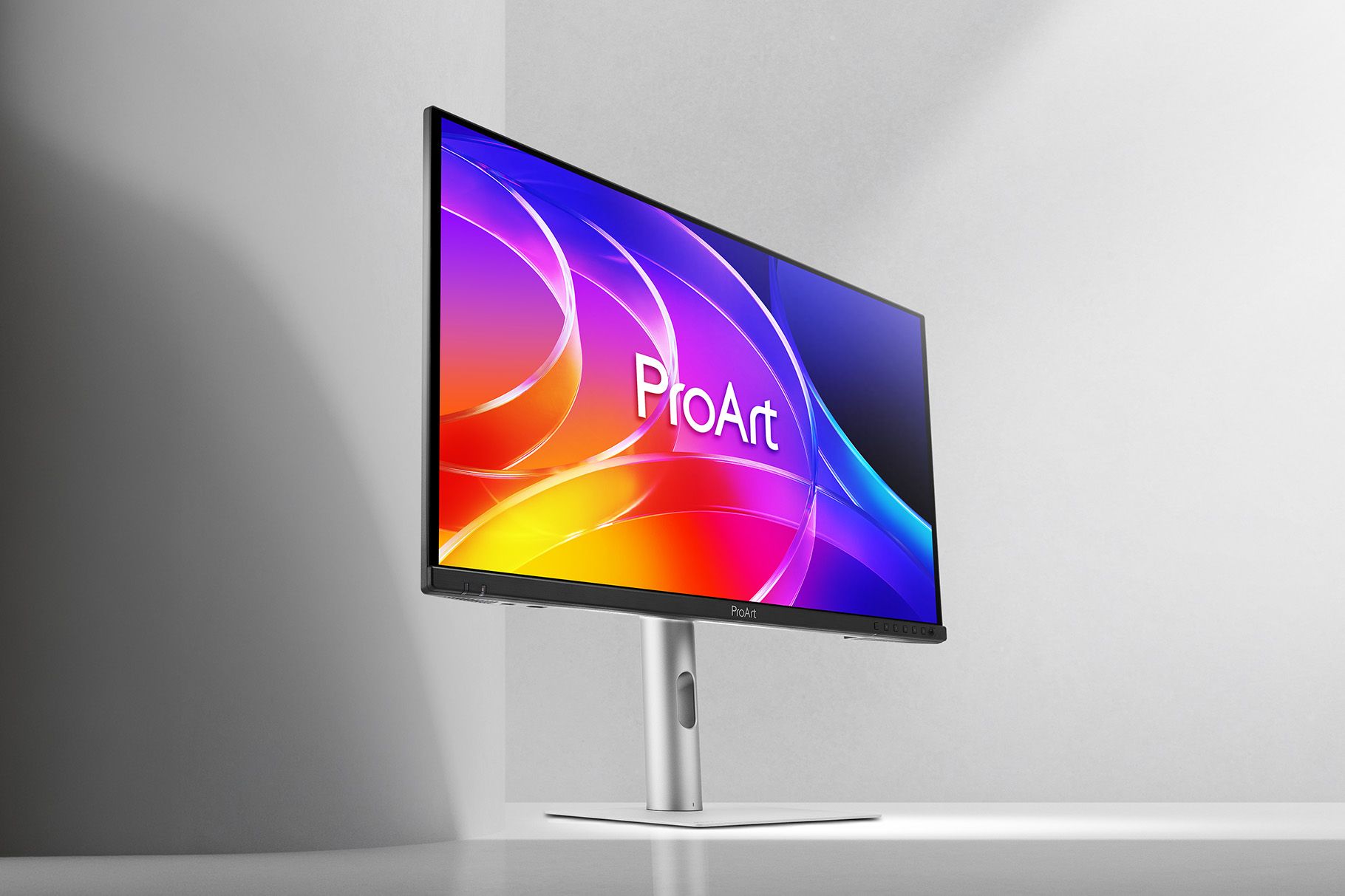
The panel is a 26.5-inch Samsung QD-OLED running at 3840 by 2160, which works out to 166 pixels per inch. ASUS quotes a 1,000 cd/m2 HDR peak on a 3 percent window, a 250 cd/m2 typical full-screen figure, a 1,500,000:1 contrast ratio, and a 0.1ms grey-to-grey response. Refresh tops out at 120 Hz. Every one of those numbers is a manufacturer claim, not an independent measurement, and QD-OLED peak-brightness figures in particular depend heavily on window size, so the 1,000 nit headline is not the number you live with across a full editing timeline.
The color story is the reason this is a ProArt and not a gaming panel. The official ASUS spec sheet lists 100 percent sRGB and 99 percent DCI-P3 coverage, true 10-bit color, and factory calibration to a Delta E below 1.5 with an individual pre-calibration report in the box. There are hardware presets for sRGB, DCI-P3, BT.2020, BT.709, Adobe RGB, DICOM, and HDR PQ (our monitor color settings guide covers which to load for your work), plus Calman Verified and VESA DisplayHDR 400 True Black certification. Connectivity is generous for the price: one 96W USB-C with DisplayPort Alt Mode, two DisplayPort 1.4 outputs with DSC for daisy chaining, one HDMI 2.1, a built-in hub with a USB-C and three USB-A ports, a KVM switch, and 2W stereo speakers you’ll ignore.
The stand does the ProArt basics: height across 130mm, tilt, full swivel, and pivot into portrait. ASUS also bundles its OLED Care routines, an ambient light sensor, a proximity sensor, and an anti-scratch film it rates at 2.5 times the scratch resistance of its previous QD-OLED coating. None of that is exotic in 2026, but at US$699 it is a complete package rather than a stripped one.
The QD-OLED trade: contrast and motion for sharpness
QD-OLED earns its keep on contrast. Self-lit pixels switch fully off, so blacks are actual black and the 1,500,000:1 figure, while a marketing number, reflects a real gap over any edge-lit IPS panel. For photo and video work with dark grades, HDR mastering, or just a room with the lights down, that difference is visible and it does not wash out at an angle the way IPS contrast does. The 120 Hz refresh and near-instant pixel response also make the whole system feel quicker, which matters more for scrubbing a timeline than most spec sheets admit.
The trade is resolution and sustained brightness. At 26.5 inches and 4K, the PA279CDV lands at 166 PPI. That is sharp, but it is not the 218 PPI you get from a 27-inch 5K panel, and for anyone who stares at type all day the difference in text crispness is the first thing they’ll register. The 250 cd/m2 typical brightness is fine for a controlled room and unremarkable next to a bright IPS in a sunlit office. QD-OLED buys you contrast and speed; it charges you in pixel density and full-field brightness. Whether that trade is worth it is the entire decision, and it splits cleanly by what you actually do at the desk.
The subpixel text problem a calibration report can’t fix
Here is the part ASUS won’t put on the box. Samsung’s third-generation QD-OLED uses a triangular subpixel layout rather than the vertical red-green-blue stripe that LCD panels use. Windows ClearType and macOS Core Text were both built around that stripe, sharpening text by weighting the red and blue subpixels on the edges of each character. Feed those algorithms a triangular layout and you get faint color fringing on black-on-white text, as TechTimes laid out in its launch analysis. A Delta E below 1.5 says nothing about this, because factory calibration corrects color accuracy, not subpixel geometry.
How much this bothers you is genuinely personal. Some people never see it; others can’t unsee it once it’s pointed out. It has softened over successive QD-OLED generations and it is worse on smaller fringes of very fine text, spreadsheets, and code than on photos or video, where it is effectively invisible. If your day is Lightroom and Premiere, this is a non-issue. If your day is a wall of 10-point type in a document or an IDE, it is a real reason to think twice, and it is the single strongest argument for the higher-density IPS alternative below.
PA279CDV against the 5K IPS ProArt
The cleanest comparison isn’t a gaming monitor, it’s ASUS’s own reference-grade 5K panel, the ProArt PA27JCV. Both are factory-calibrated ProArt displays with 99 percent DCI-P3, 96W USB-C, a KVM, and the same stand. That strips the marketing away and leaves the actual choice: a 4K QD-OLED at US$699 or a 27-inch 5K IPS at roughly US$799 street. I re-pulled both spec sheets for this piece; the numbers below are ASUS’s own, current as of this run.
| Spec | ProArt PA279CDV (new) | ProArt PA27JCV (reference) |
|---|---|---|
| US price | US$699 | about US$799 street (US$849 list) |
| Panel | 26.5-inch QD-OLED | 27-inch IPS |
| Resolution / density | 3840 x 2160, 166 PPI | 5120 x 2880, 218 PPI |
| Refresh | 120 Hz | 60 Hz |
| Peak brightness (HDR) | 1,000 cd/m2 (3% window) | 500 cd/m2 |
| Contrast | 1,500,000:1 | 3,000:1 |
| Color | 99% DCI-P3, Delta E < 1.5 | 99% DCI-P3, 95% Adobe RGB |
| USB-C power | 96W | 96W |
| Desktop text | QD-OLED subpixel fringing risk | Standard RGB stripe, no fringing |
| Burn-in exposure | OLED, 3-yr burn-in warranty | IPS, none |
The chart below puts the four numeric dimensions side by side, and it makes the split obvious. The PA279CDV is cheaper, twice as bright at peak, and twice the refresh rate; the PA27JCV answers with a third more pixels packed into a sharper grid. There is no wrong pick here, only a wrong pick for a given job.
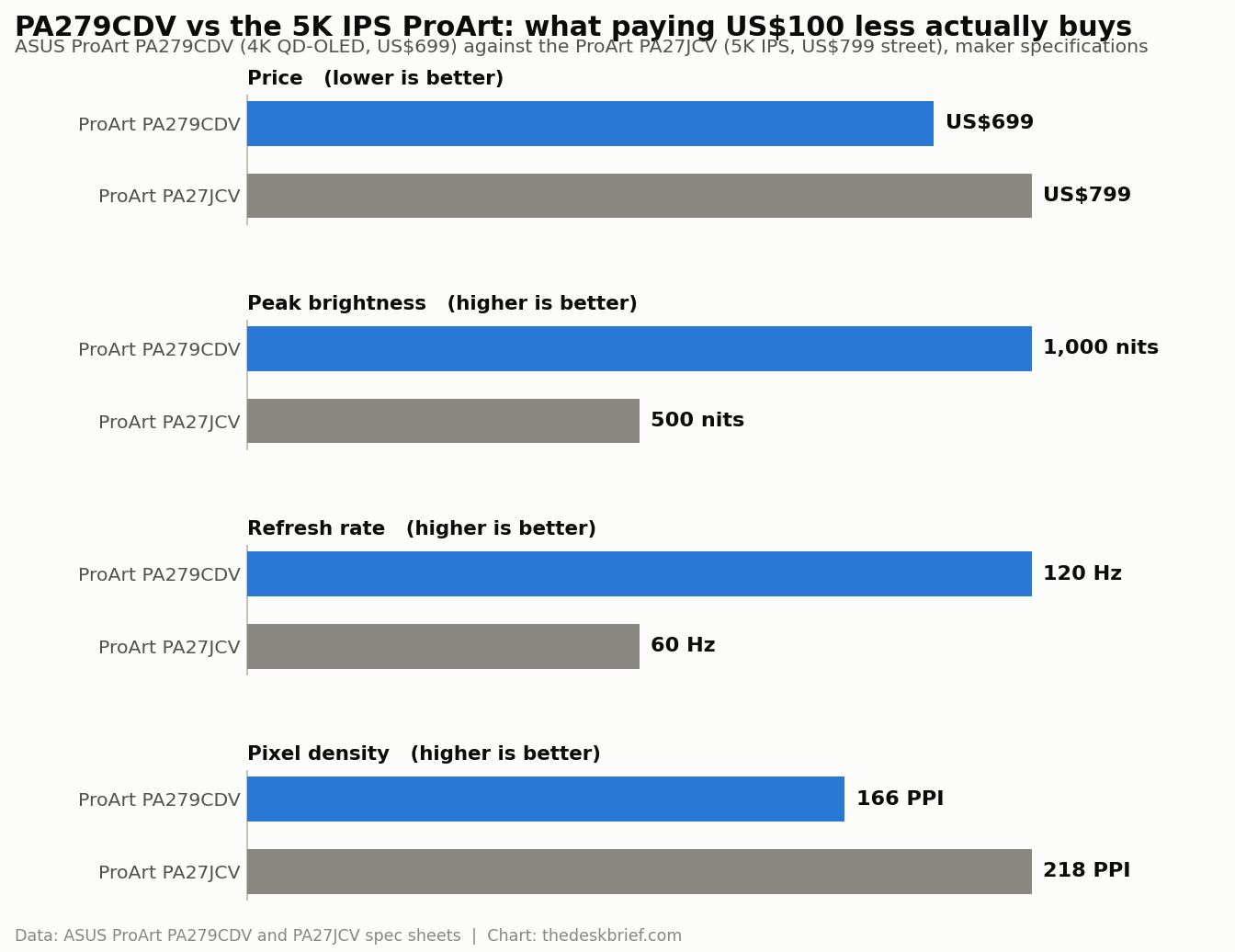
If you edit color, grade video, or work in a dim room, the QD-OLED wins on the specs that matter to you and it costs less. If you write, code, or run spreadsheets on 27-inch glass all day, the 5K IPS is the safer buy despite the price, and you can weigh it against the wider field in our breakdown of gaming versus office monitors. For a different high-resolution take on the same desk problem, our writeup of the Samsung ViewFinity S80HF covers the 5K IPS side in detail.
Burn-in, brightness, and the three-year cushion
OLED burn-in is the objection every desk worker raises, and it is fair to raise it, because static toolbars, docks, and taskbars are exactly the persistent elements that stress an emissive panel. ASUS answers with a three-year warranty that explicitly includes panel burn-in, plus pixel-shifting and screen-saver routines under its OLED Care banner. That warranty line is the one I’d read closely before buying, because a burn-in clause on an OLED you’ll run eight hours a day is worth more than any single spec on the sheet.
The other quiet caveat is brightness fatigue over a full workday. A 250 cd/m2 typical figure is comfortable in a controlled room but modest against a mid-tier IPS in daylight, and QD-OLED dims further as more of the screen lights up. None of this is disqualifying. It just means the PA279CDV rewards a shaded desk and punishes a south-facing window, which is the opposite of what most office buyers assume a premium monitor should do. Get your monitor height and placement right and a matte OLED like this handles glare better than its reputation suggests.
Who Should Skip This
Skip the PA279CDV if your work is mostly text. Writers, developers, analysts, and anyone who lives in spreadsheets will be happier with a 5K IPS panel that renders type without any subpixel argument, and they’ll appreciate the extra sharpness every hour. Skip it too if your desk sits in bright, uncontrolled light, because you’ll fight the typical brightness and never see the contrast you paid for.
Skip it if burn-in anxiety would nag you, warranty or not, since peace of mind is part of what a work monitor buys. And skip it if you only need a solid all-rounder under US$400, where a good IPS panel does the job and the value end of the 27-inch market is more sensible than a calibrated OLED. The PA279CDV is a specialist’s monitor priced like a generalist’s, which is exactly why it’s tempting and exactly why it isn’t for everyone.
Frequently Asked Questions
Is the PA279CDV a 5K monitor?
No. The PA279CDV is a 4K panel at 3840 by 2160 on a 26.5-inch screen, which is 166 PPI. ASUS’s 5K ProArt, the PA27JCV, is 5120 by 2880 at 218 PPI. If pixel density is your priority, the 5K IPS is the sharper choice.
How much does the ASUS ProArt PA279CDV cost?
ASUS set a US$699 launch price in the United States on July 29, 2026. Canadian retail availability has since appeared, but current prices should be checked at the retailer rather than inferred from the US launch figure.
Does QD-OLED really have a text problem?
It has a text characteristic. The triangular subpixel layout can produce faint color fringing on fine black-on-white text because ClearType and Core Text assume a vertical RGB stripe. It is invisible in photo and video work and it varies by person, but it is real and calibration does not remove it.
Has anyone reviewed the PA279CDV yet?
Yes. WIRED published a hands-on review on August 31, 2026. Instrumented measurements from the major display labs are still missing, so manufacturer brightness and colour claims should not be treated as independently verified.
The Short Version
The PA279CDV is the most interesting monitor number of the week: a factory-calibrated 4K QD-OLED with real contrast, 120 Hz, and a burn-in warranty for US$699. For color and video work in a controlled room it’s a lot of monitor for the money, and it undercuts ASUS’s own 5K IPS by US$100 while beating it on brightness and speed.
Just know what you’re trading. You give up pixel density, you accept a subpixel layout that fights desktop text, and you take on OLED’s burn-in question in exchange for that three-year clause. If you edit, WIRED’s hands-on review gives you one more useful data point, but an instrumented panel review is still worth reading. If you mostly read and type, the 5K IPS ProArt is the wiser US$100. Canadian buyers can now compare local availability rather than importing, but wait for one instrumented review before you treat any of these numbers as measured.
Editorial rating: 4.0 out of 5. The PA279CDV combines calibrated 4K QD-OLED contrast, 120 Hz, and useful creator connectivity at an aggressive price. Text rendering, full-screen brightness, and burn-in remain meaningful tradeoffs, and independent exact-model testing is still needed.
Current offer checked August 30, 2026: CA$1041.95, in stock. Prices and availability can change.