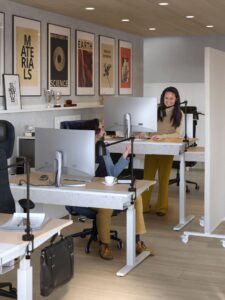
The marketing says standing desks will transform your health, improve your focus, and save you from a sedentary death.
Currency note: Canadian dollar equivalents use the Bank of Canada daily average of 1 USD = 1.4014 CAD on July 17, 2026. Converted amounts are approximate; the original US price is shown in brackets.
That’s not entirely wrong. But it’s not entirely right either.
I’ve gone through the research, compared what the science says versus what standing desk brands say, and looked at what people who actually use them long-term report. Here’s the honest version.
Table of Contents
- What the Research Actually Shows
- The Honest Drawbacks
- What Actually Matters When Buying One
- Best Standing Desks by Budget
- Standing Desk vs. Fixed Height and Monitor Arm
- Who Should Get One
- The Short Version
What the Research Actually Shows
The benefits are real, but smaller than you’ve been led to believe.
The strongest evidence is for musculoskeletal pain. A six-month study published in the International Journal of Environmental Research and Public Health found that reducing sitting by about an hour a day led to measurable reductions in neck and shoulder pain and post-work fatigue. That’s meaningful if you’re already dealing with those issues, which a lot of people working from home are.
There’s also some evidence for metabolic benefits. One study found a 23% improvement in insulin resistance after six months of regular sit-stand desk use. Blood pressure improvements showed up in a few studies too, mostly in older participants. Real numbers, but not the kind of transformation the ads imply.
What the research does not show is anything close to the productivity and energy claims you see in ads. A Texas A&M study that gets cited constantly claimed standing desk users became 53% more productive over the course of a study. Most other research finds the opposite: standing can reduce performance on cognitive tasks and increase errors. The theory is that the physical load of managing balance while standing competes with mental focus. The jury is still out, but I wouldn’t bet on a standing desk making you more productive.
The key thing all the genuine benefits have in common: they require switching positions every 30 to 40 minutes. Not standing all day. Not sitting all day. Alternating. That one habit is doing most of the work, not the desk itself.
The Honest Drawbacks
Standing too long is just a different kind of bad for you.
A 2024 study that got a lot of coverage found that prolonged standing doesn’t reduce heart disease or stroke risk and may actually increase circulatory problems. Blood pools in your legs. Varicose veins and swollen feet become a real issue over time. The research suggests the risk starts climbing noticeably after standing more than about two hours of your workday without breaks.
On top of that, extended standing causes leg and lower back fatigue, especially if your floor is hard. Most people need an anti-fatigue mat to make sustained standing tolerable, which is another CA$50-200 (US$36-143) on top of the desk cost. That part rarely shows up in the ads.
Then there’s the biggest honest problem: most people don’t use them correctly. You spend CA$700 (US$500) on a sit-stand desk, and then one of two things happens. You stand all day because you feel like you need to justify the purchase, which undoes the benefits. Or you forget to raise it after a few weeks and it becomes an expensive fixed-height desk with a motor you never use. Both outcomes are common, and both defeat the purpose.
A standing desk works only if you actually build the habit of alternating. The desk doesn’t do that for you.
What Actually Matters When Buying One
If you’ve decided to go for it, here’s what actually separates a good buy from a bad one.
Height range. This is the spec you can’t compromise on. You need the standing height to work for your body, not just the average person the brand had in mind. If you’re over 6’2”, you need at least 48 inches of standing height, ideally 50 or more. If you’re under 5’4”, make sure the seated minimum goes below 25 inches. Check your own desk-height numbers before assuming any desk will work. Brands will sometimes list a range that technically covers you but is at the extreme end, which means less stability and more wobble.
Dual motors over single motor. Single-motor desks wobble noticeably at full standing height, especially with a monitor and accessories on them. Dual-motor desks are meaningfully more stable. The price gap between single and dual motor has closed over the past few years, and for most budgets it’s worth paying the difference. A desk that wobbles every time you type standing up gets annoying fast.
Motor noise. Under 50 dB means you won’t really notice the transition. Over 57 dB means it’ll be obvious in a quiet room, which matters if you’re mid-call when you decide to adjust. Most quality desks in 2025 fall in the 50 dB range or below. Cheap single-motor models are where you run into noise issues.
What the warranty actually covers. Some warranties sound solid on the surface and fall apart in the details. Watch for clauses that void coverage if anyone other than you assembled the desk, or labor exclusions that leave you paying for repairs even within the warranty window. A 15-year warranty with major exclusions isn’t better than a honest 10-year warranty with full coverage.
Desktop weight capacity. 250 lbs is enough for most home office setups. If you’re running a heavy multi-monitor workstation or plan to add a monitor arm and a lot of peripherals, go for 300+ lbs to stay well within the rating. Desks operated near their weight limit wear out motors faster.
Best Standing Desks by Budget
I’ve narrowed this to what I’d actually consider at each price point, based on real specs and long-term reviews, not just launch marketing.
| Desk | Price | Motors | Height Range | Capacity | Warranty |
|---|---|---|---|---|---|
| FlexiSpot E5 | ~CA$270-299 (US$193-213) | Dual | 22.8” to 49.2” | 220 lbs | 10 years |
| FlexiSpot E7 | ~CA$370-479 (US$264-342) | Dual | 22.8” to 48.4” | 355 lbs | 15 years |
| Uplift V2 | ~CA$599-699 (US$427-499) | Dual | 25.5” to 51.1” | 355 lbs | 10 years |
| Uplift V3 | ~CA$700 (US$500)+ | Dual | 22.6” to 48.2” | 355 lbs | 15 years |
Budget: FlexiSpot E7 (~CA$370-479 (US$264-342))
The E7 is the budget pick I’d actually recommend. Dual motors, 355 lbs weight capacity, a 15-year warranty, and a height range from 22.8 to 48.4 inches. For most people that range covers the full sit-to-stand transition without issue.
If you’re over 6’2”, the 48.4-inch maximum standing height might be slightly limiting depending on your ideal ergonomic standing position, so check your own numbers before committing. Everyone else will be fine.
The E5 is about CA$100 (US$71) cheaper and still dual-motor, though the warranty drops to 10 years and the capacity to 220 lbs. For a typical home office setup that’s enough, and the savings are real if you’re watching the budget closely.
Mid-Range: Uplift V2 (~CA$599-699 (US$427-499))
The Uplift V2 is the one I’d probably buy if I were shopping today. It goes up to 51.1 inches standing height, which works for people up to about 6’4”. 355 lbs capacity. Dual motors. 10-year warranty. Stable and well-reviewed across the board.
Uplift has been around long enough that you can find genuine reviews from people three or four years in, not just launch-day impressions. Long-term durability reports are consistently good, which is what you want to see at this price point.
The 51.1-inch standing height is a real advantage if you’re tall. A lot of desks in this price range top out at 48 or 49 inches, which means you’re hunching slightly if you’re on the taller end. The extra two inches makes a difference when you’re standing for 30-40 minutes at a stretch.
Premium: Uplift V3 (~CA$700 (US$500)+)
The V3 replaced both the V2 and V2 Commercial lines and improved on both. 15-year warranty, quieter motors, and a reinforced frame with an I-beam crossbar for better stability at full extension. If you’re running a dual-monitor setup with a heavy workstation, the V3’s stability improvements are genuinely noticeable compared to the V2 at full height.
The premium tier is also where custom desktop sizes and L-shaped configurations live. If you need a corner desk or a non-standard width, this is the category where those options are actually available and well-executed.
Worth noting: the V3’s standing height tops out at 48.2 inches, which is slightly less than the V2’s 51.1 inches. If you’re over 6’2” and considering the V3, check whether that height works for you before buying the premium model.
Standing Desk vs. Fixed Height and Monitor Arm
This is the question worth asking before you commit to anything.
The research shows that the health benefits from sit-stand desks come from position changes and movement, not from standing itself. A fixed-height desk, a quality monitor arm that puts your screen at the right ergonomic height, and genuine discipline about taking movement breaks every 30 to 40 minutes will deliver similar benefits for most people.
The cost math is closer than people expect. A decent fixed desk (CA$200-400 (US$143-285)) plus a solid monitor arm (CA$150-250 (US$107-178)) comes to CA$350-650 (US$250-464) total. A budget sit-stand desk starts at around CA$370 (US$264), without a desktop. The price gap has closed a lot over the past few years, which makes the fixed-plus-arm option harder to justify purely on cost alone the way it used to be.
What you’re actually paying for with a sit-stand desk is the ability to change positions without rearranging anything, and a physical reminder that the option exists. For some people that nudge is worth CA$500 (US$357). For others, a phone alarm every 40 minutes works just as well and costs nothing.
If you’re genuinely disciplined about taking breaks and moving around, a fixed-height desk with a good monitor arm is the more durable and lower-maintenance setup. If you know yourself and you need the friction of actually raising a desk to actually change your sitting habits, then the standing desk is probably worth it.
Who Should Get One
You’ll likely get real value from a standing desk if you already have back, neck, or shoulder pain from sitting and your doctor hasn’t flagged standing as likely to make it worse. You work from home and have the budget to do it properly, meaning at least CA$500 (US$357). You’re the type of person who will actually switch positions regularly rather than stand all day and call it healthy. And you’re setting up a long-term home office and want to invest properly from the start rather than retrofitting later.
Skip it if your budget is tight and you’d be stretching to afford a quality model. If you’re in a shared office where noise and the visual distraction of desk adjustments matters to coworkers. If you’re hoping it’ll fix a chronic injury on its own without addressing root causes. Or if you’re honest with yourself about the fact that you probably won’t use the standing feature consistently after the first month.
The Short Version
Standing desks work when you use them correctly: switching positions every 30 to 40 minutes, not standing all day. The research supports real but modest benefits for musculoskeletal pain and metabolic health with proper use. The productivity transformation the marketing promises is mostly fiction.
If you’re going to buy one, get a dual-motor model and confirm the height range fits your body before ordering. The FlexiSpot E7 is the budget pick worth considering. The Uplift V2 is what I’d buy. The V3 is worth the step up if you’re running a heavy dual-monitor setup or need the longer warranty.
If your budget is limited, a good monitor arm that puts your screen at the right height, combined with an alarm telling you to stand and walk around every 40 minutes, will get you most of the same benefits for a lot less money.
Standing changes posture more than energy expenditure, so treat movement breaks as the meaningful habit rather than counting on a large calorie difference.